 Vini Studio
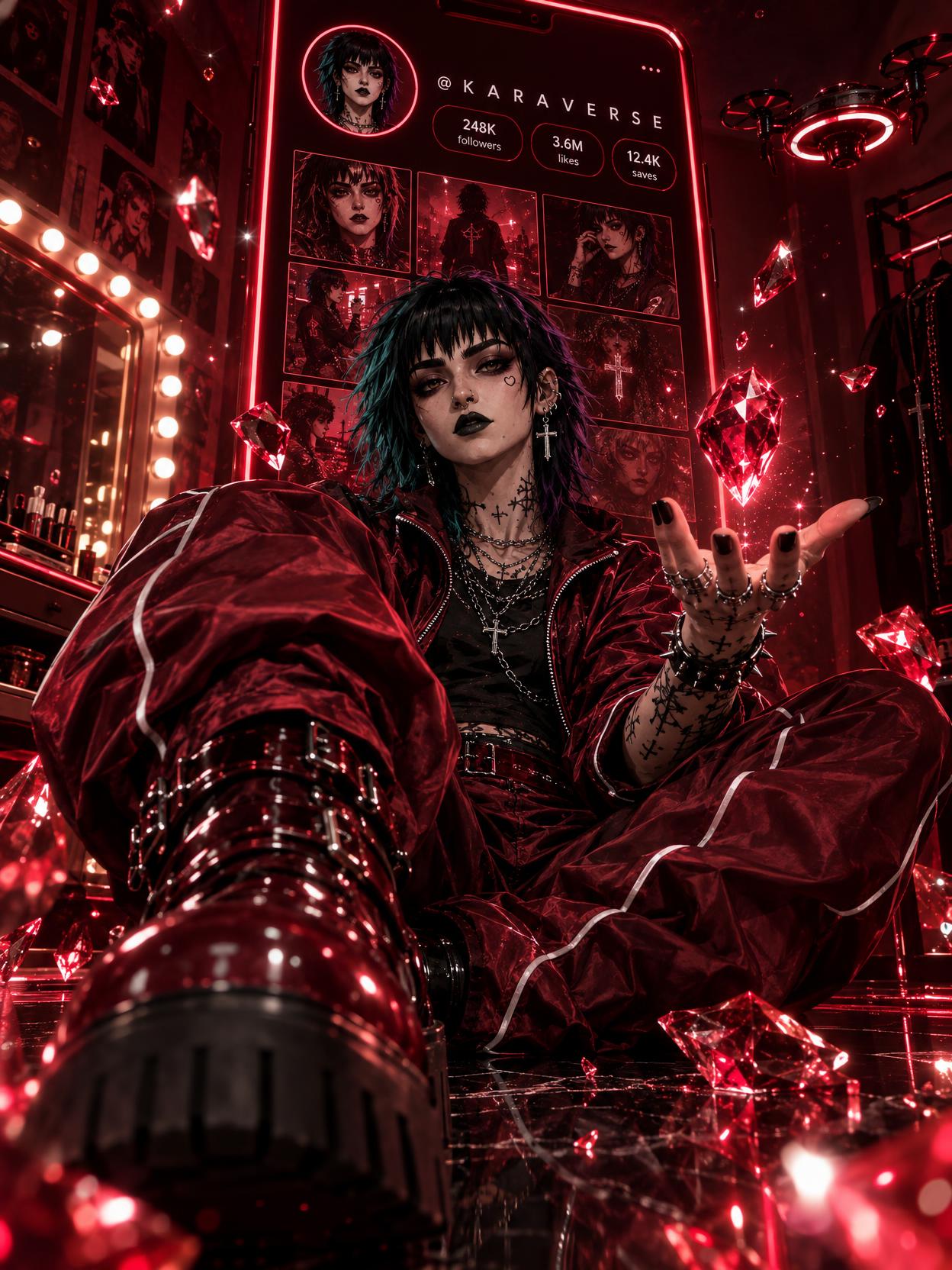
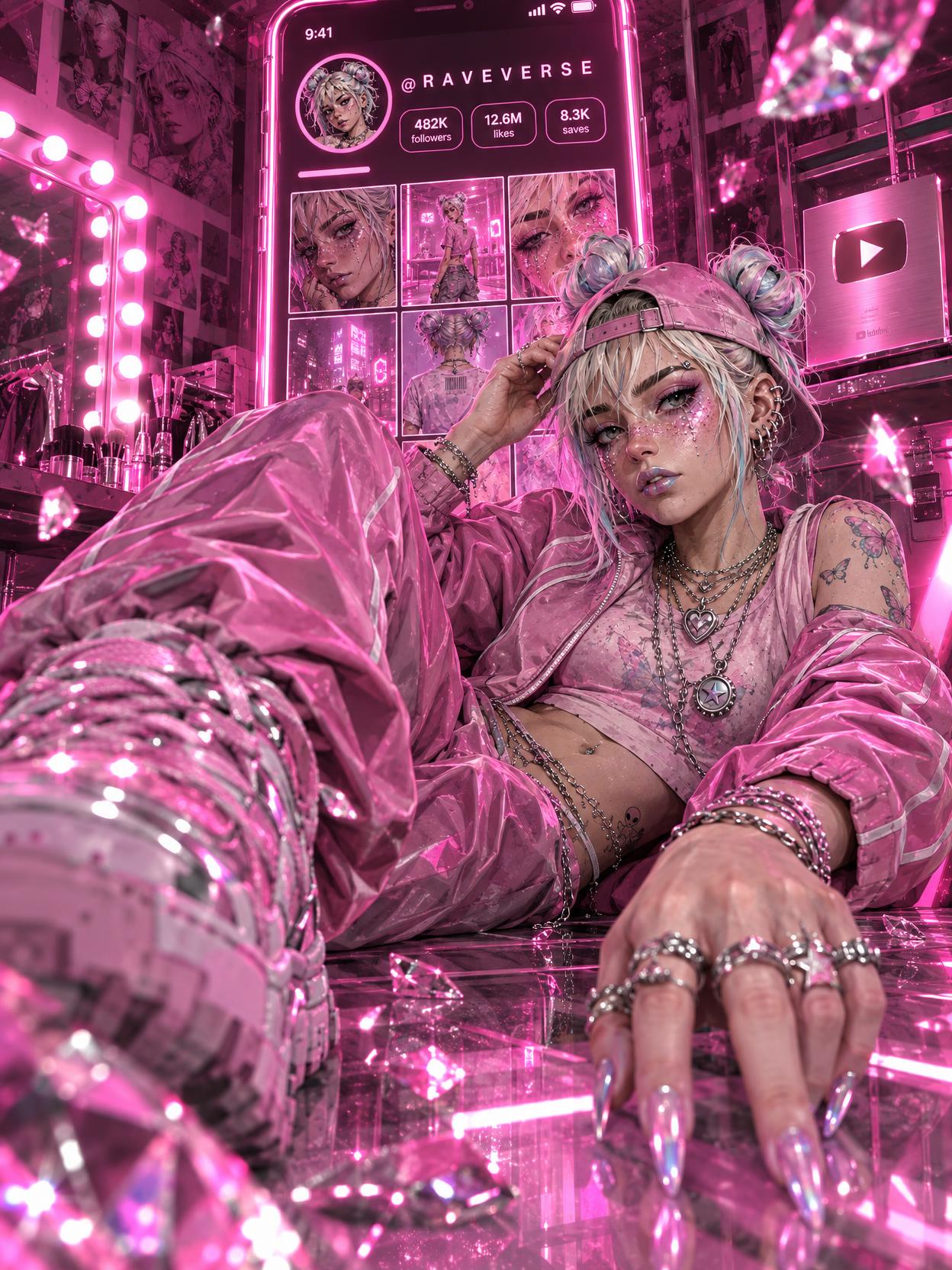
This guide focuses on one practical task: creating a character poster for a feed, cover, or announcement. We will show real images from the project and explain which decisions you can reuse for your own character.
What GPT Image 2.5 does in Vini
GPT Image 2.5 is OpenAI’s image generation and editing model, introduced on September 8, 2026. The announcement emphasizes more precise edits, instruction following, and keeping subjects recognizable through changes. For a series creator, that means a useful way to request a new look while continuing to work from the original character. OpenAI announcement.
GPT Image 2.5 is now the default image model in Vini. It generates images from text and works with reference images. Its card offers five quality settings: Draft, Light, Balanced, Premium, and Maximum. You can explore an idea at a lower cost, then refine your chosen composition separately.
The family has Flare and Sunburst variants. In Vini, the first three settings use Flare and the top two use Sunburst. This is the studio’s mapping: one control selects both variant and quality. Raise it for a specific requirement, such as improving small details in a composition you have already chosen.
Two characters with distinct personalities
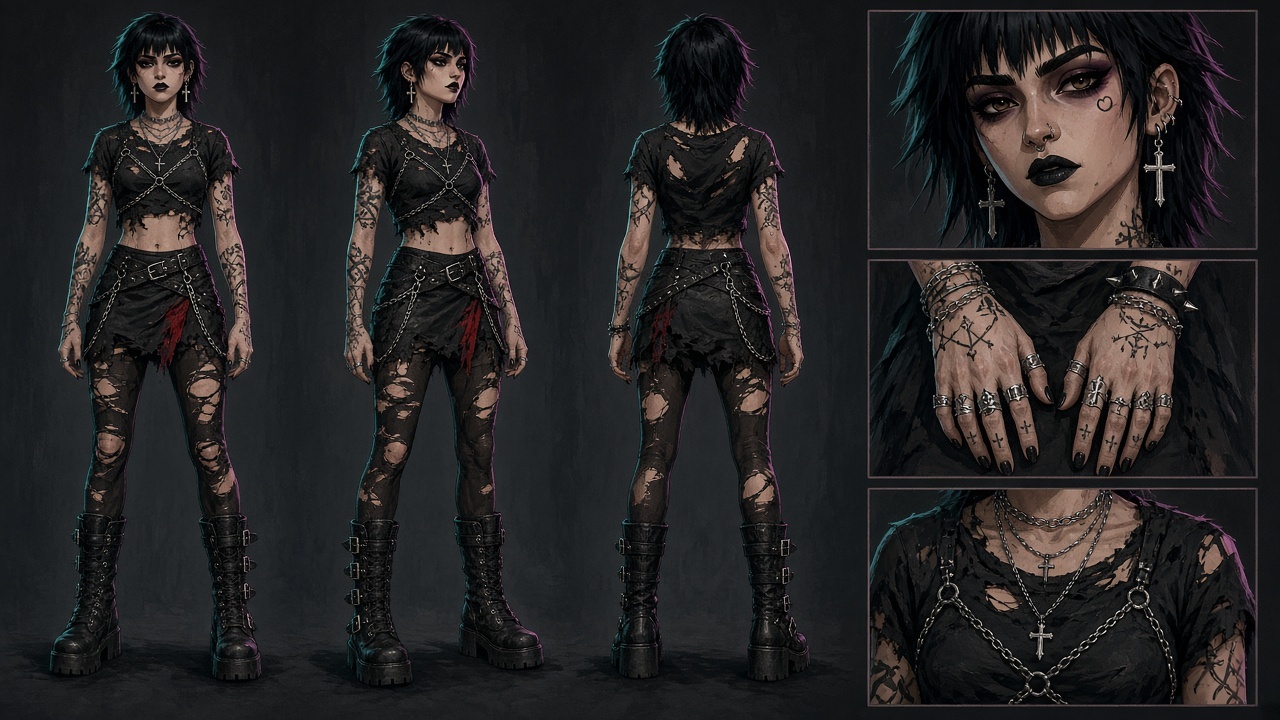
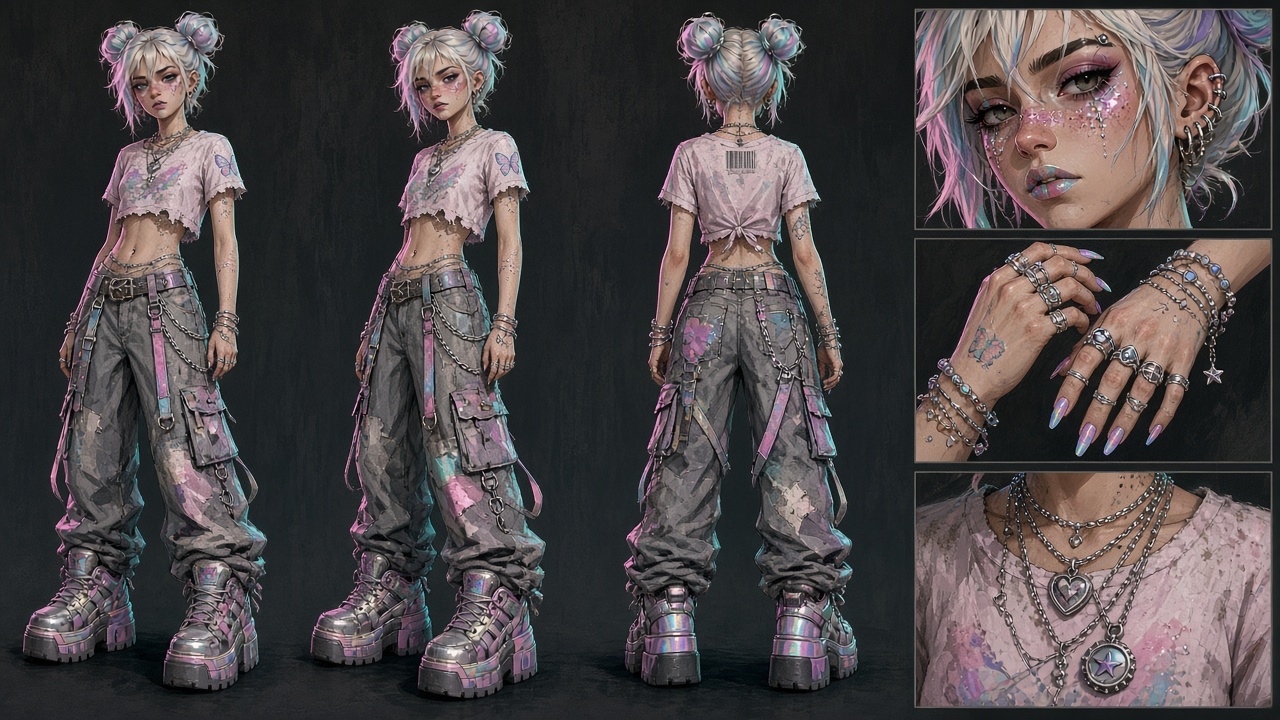
The author’s project tried the recipe with Kara and Rave. Kara has dark hair, black lipstick, piercings, and tattoos. Rave has pale space buns, glitter, and colorful accents. The original character sheets below were made in Grok Imagine Image 2. They were then given to GPT Image 2.5 as references for the new posters.
A recognizable character: separate identity from presentation
Before generating, write down three things. Who is in the image? What world do they inhabit? How are we showing them? This short brief helps expose conflicts before a run, such as wanting both an intimate portrait and a vast interior full of objects.
Character
Face, age, hairstyle, proportions, and distinctive features.
What should stay recognizableVisual world
Palette, materials, clothing, setting, and quality of light.
What connects your postsComposition
Framing, pose, gaze, camera angle, and space for a headline.
What changes with the image’s purposeFive ways to improve a GPT Image 2.5 prompt
These posters make it easy to see which decisions deserve deliberate attention. Here are five approaches to try in your own version.
- Give each reference a job. In this project, one sheet defines Kara’s appearance, while the recipe describes the rubies, clothing, and room. That is already a clear division. If you add a second example, give it a specific purpose, such as lighting or fabric texture. The extra image then has a job beyond providing another potential character.
- Name what must stay the same. For Kara, that could mean black lipstick, a short shaggy haircut, piercings, and skin markings. For Rave, pale space buns and glitter freckles. These give you a way to check a new look: the outfit can change while distinctive features remain readable. Compare face shape and proportions with the original separately.
- Describe light and materials concretely. Try “cool side lighting, translucent blue crystals, matte white fabric, a dark glossy floor.” This gives the image a palette and surfaces that reflect light differently. For our example, one gemstone color and a neutral background provide a useful starting point.
- Plan for the finished post. An avatar needs a face that reads inside a small circle; a poster needs a figure and setting; a cover needs room for a headline. Specify the format early. For text inside an image, give the exact wording, placement, and scale relative to the character. Check every word before publishing.
- Change one thing per iteration. Once you like the face and pose, try another palette. Once the palette works, refine the lighting. That makes the source of an improvement easier to understand. In a targeted edit, name the parts that should remain unchanged. Rewriting the whole brief each time produces different concepts rather than versions of one.
Reference roles, explicit preservation requirements, and sequential edits are also covered in OpenAI’s official guide. OpenAI image prompting guide.
The fal guide has additional examples of structured briefs, lighting, and text placement. Practical fal guide.
A short example brief for your own poster
This is a separate example you can adapt. It demonstrates the structure of a request; the full Gem Profile recipe uses a different prompt.
Create a vertical 3:4 poster featuring the character from the first reference. Preserve face shape, age, hair color, and proportions. Show the character standing full length, with shoes fully inside the frame. Place the camera slightly below eye level. Clothing: a loose white suit with blue accents. Surround the character with a few large, translucent aquamarine crystals. Dark glossy floor, soft side lighting, controlled reflections. Keep the upper-left area quiet for a headline. No text or logos.
Substitute your character’s features and chosen material. For the next version, change just the gemstone, from aquamarine to amethyst, while keeping the rest of the brief. Compare the face, silhouette, hands, and frame edges as well as the overall impact. Small details can disappear in a feed, so inspect a reduced-size image too.
Bonus: the Gem Profile recipe, with your character
Gem Profile puts your character at the center of an unusual social profile. A giant screen stands behind them, surrounded by crystals, reflections, and objects from their world. The recipe already includes a base composition, identity instructions, and variations in presentation. The posters in this article come from the author’s project using this recipe.
The recipe builds two connected nodes: an Element and a GPT Image 2.5 image generator set to 3:4. You supply an existing element or a new photo. The prompt asks to preserve the face, hair, proportions, and apparent age, and uses the element’s name to design the fictional profile.
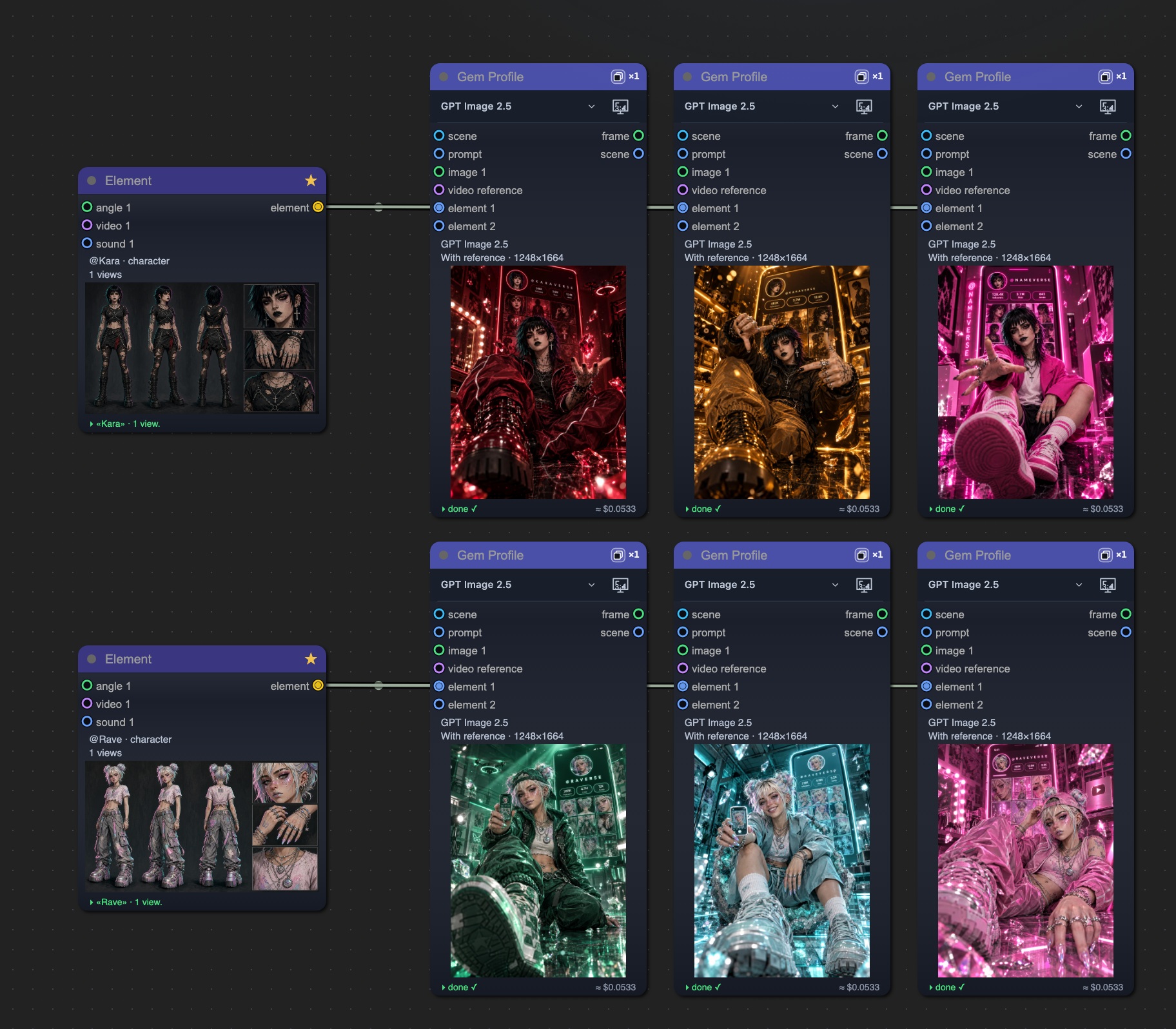
Regenerating makes the recipe pick the palette, camera, pose, gesture, clothing, setting, and lighting again. Individual choices may repeat. For a controlled series, pick a direction you like and refine it. Random variation alone does not guarantee that every result will work equally well. How to customize random variants in the prompt editor →
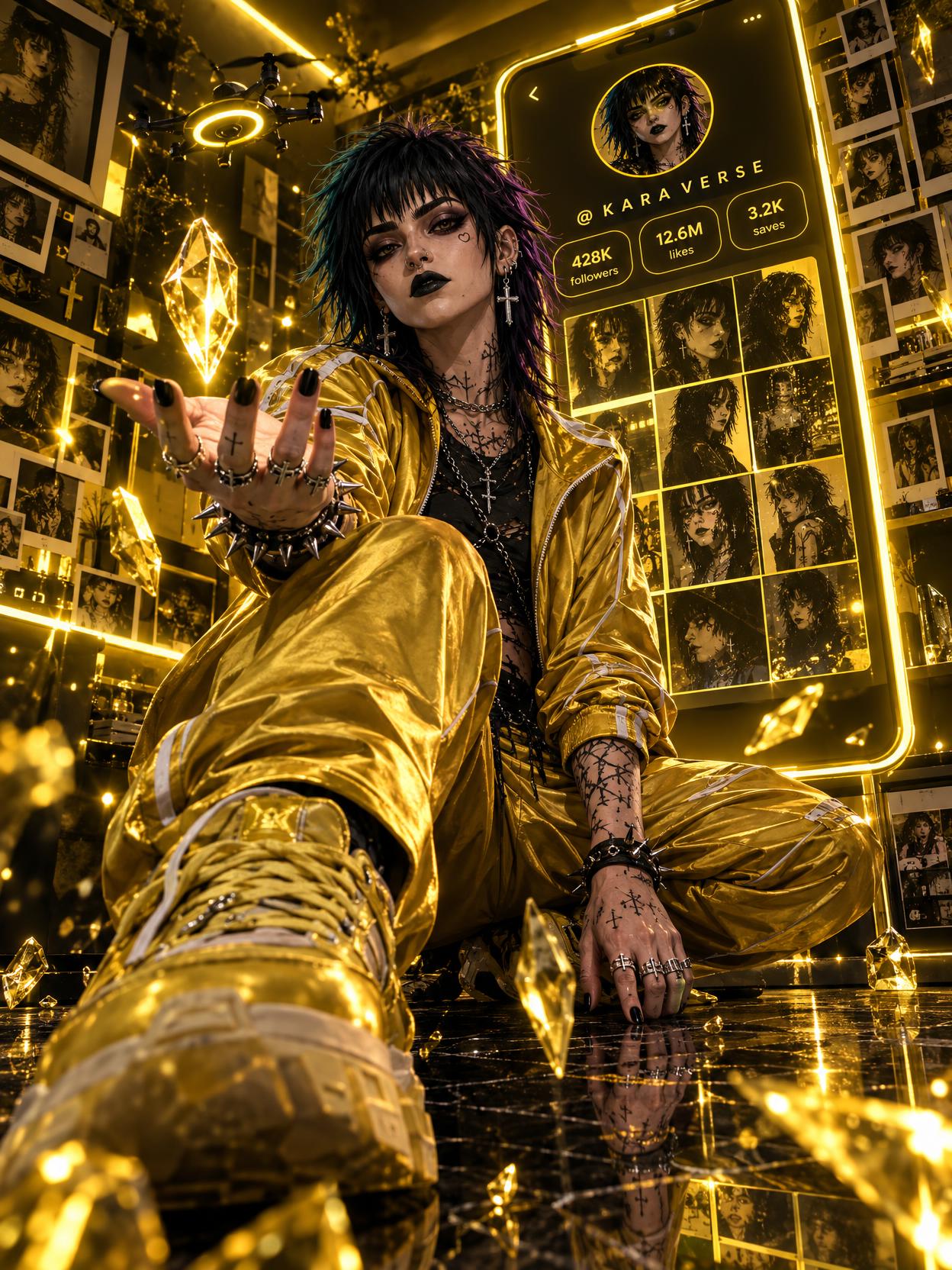
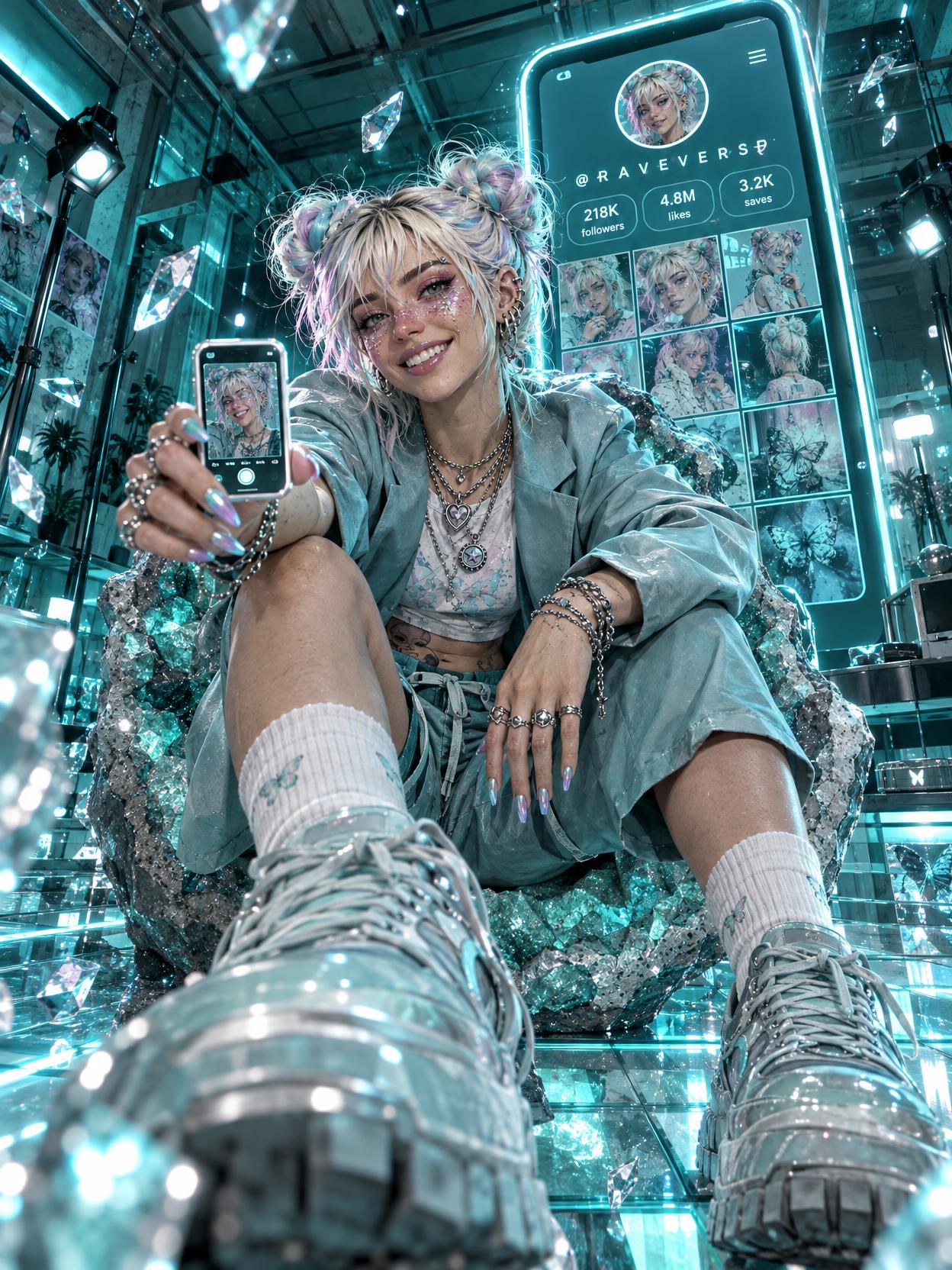
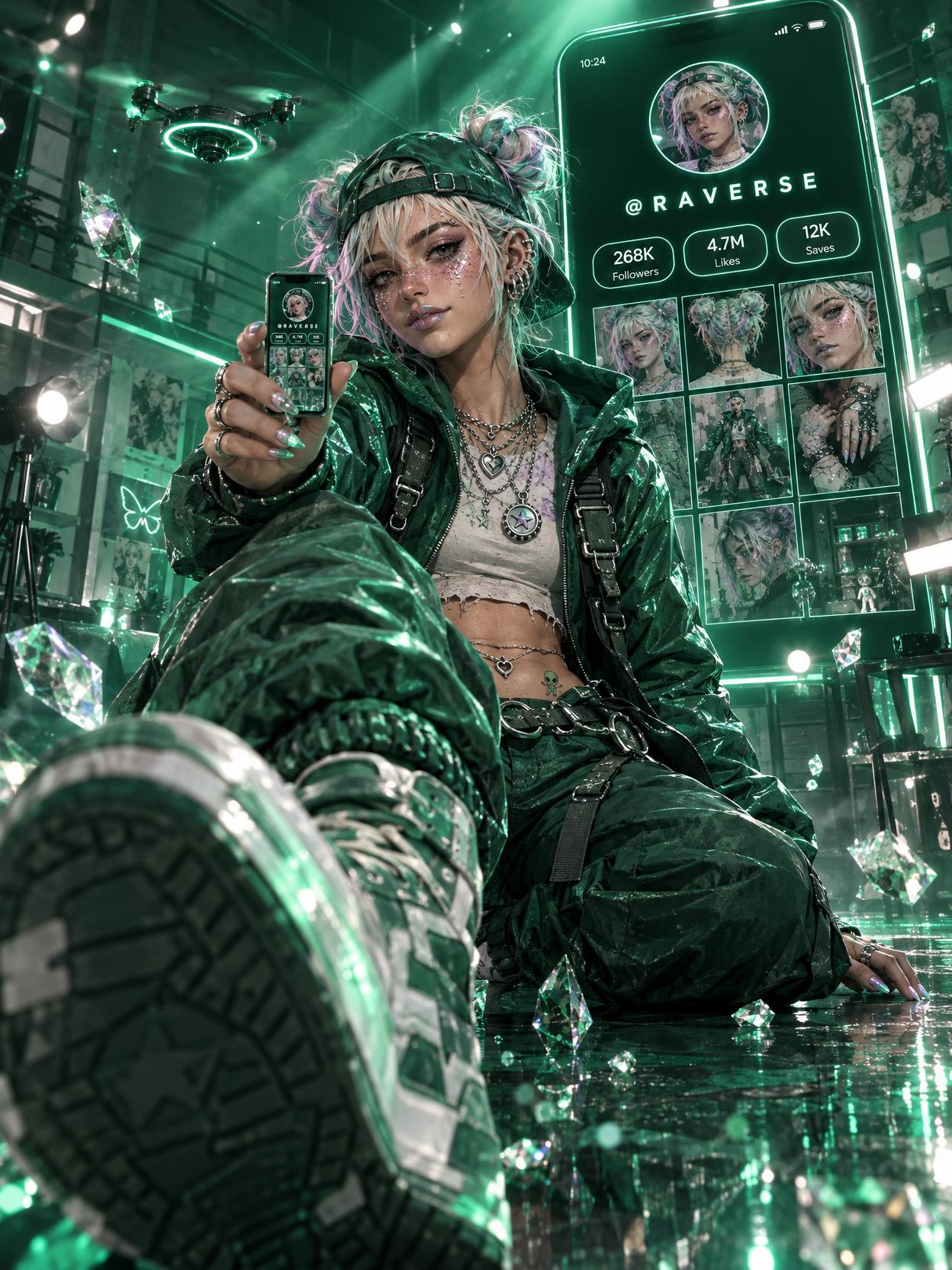
These variations were made in GPT Image 2.5 at Balanced quality, in 3:4, using one original character sheet. Profiles and counters inside the posters are fictional. Check the lettering: the blue version has an inaccurate ending to the profile handle.
- Open Gem Profile. Choose “Open in Vini Studio,” sign in if needed, then continue from the recipe card.
- Choose your character. Use your own existing character or choose the guided option to fill in a new element after building the project.
- Build the project. The studio creates two connected nodes. For a new character, add a name and photo to the Element. Building the project does not start generation.
- Generate the image. Check quality and price on the image node. Review the face, hands, and lettering, then choose a version to publish or refine a specific detail.
Opening the recipe and building its graph is free. Image generations use your Vini balance.
What GPT Image 2.5 costs in Vini
These are prices for one image from a text prompt, without input images. The price depends on the format: a 1:1 square costs more than a 9:16 vertical, so the table shows three formats. They come from the same price list used by the studio. Choose quality for the task: checking composition, comparing styles, or preparing a selected version for publication.
| Quality | 9:16 | 3:4 · recipe | 1:1 |
|---|---|---|---|
| Draft | $0.0048 | $0.0062 | $0.0082 |
| Light | $0.0104 | $0.0138 | $0.0182 |
| Balanced | $0.0413 | $0.0544 | $0.072 |
| Premium | $0.0738 | $0.0973 | $0.1287 |
| Maximum | $0.1647 | $0.217 | $0.2872 |
Each reference image, including the first, adds $0.012. The posters in this project used Balanced in 3:4 with one reference. At the current rate, that generation costs $0.0664.
One character sheet showing several angles counts as one input image here. Check the price on the node before a run: it accounts for the actual references, selected quality, and format.
Build a visual series from one poster
Save the combination that works: primary color, material, lighting, and composition rules. That gives future posts a shared foundation. Create an introduction poster, a cover for a new story, and an announcement image, changing the purpose of the image while preserving the character’s personality.
For one character across several scenes, see our guide to character consistency and references. Or start with a finished poster: open the recipe, add your character, and see what kind of world it creates for them.
What will your Gem Profile look like?
The scene is already set up in the recipe. Add your character and try a new look.
Try Gem Profile →Sign in to Vini