 Vini Studio
Rebuilding an already saved design after manual edits costs $0. Creating a new design is a separate paid run with its price shown beforehand. The editors below are older versions: speed and cropping belong to the previous Clip trim editor. Current Montage uses its timeline to edit order, clip edges, the song and voice.
Current decoration and a saved series style →
Current montage timeline guide →Generation rarely lands perfectly on the first try. A banner sits on a face, a line runs half a second long, the source is horizontal. The usual answer is "regenerate and pay again." Here you edit by hand, and re-assembly costs nothing.
Decorate: the AI’s plan becomes yours
The Director proposes a decoration plan — where and when banners, titles, subtitles, and the outro appear. In the studio that plan stops being the AI’s plan and becomes the project’s document: you edit the text, the timing ("Start" and "Show"), the on-screen position, the font size, the gradient. Drifted off-brand? The "restore to the design system" button puts it back the way it was.
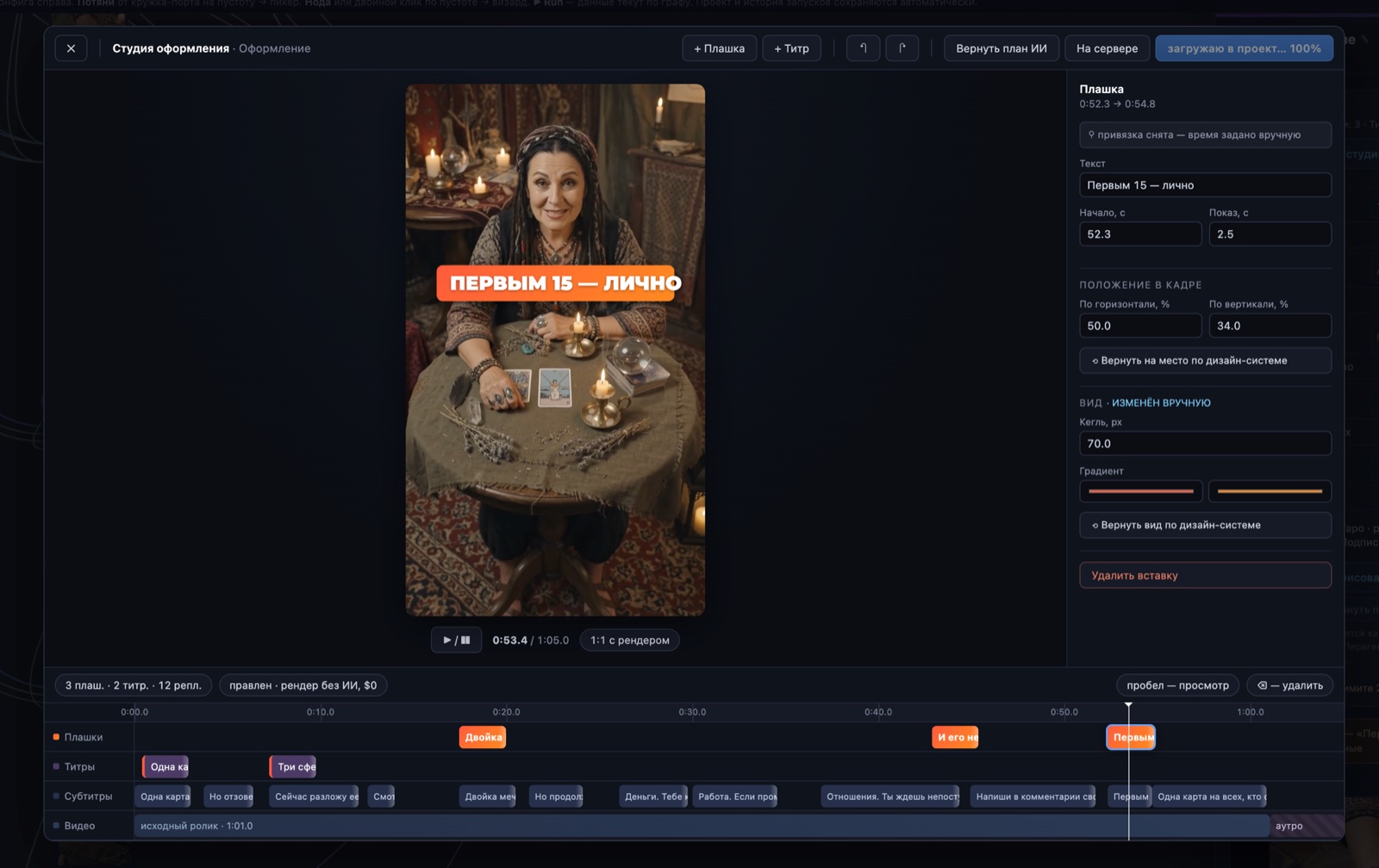
Montage: video and sound on one timeline
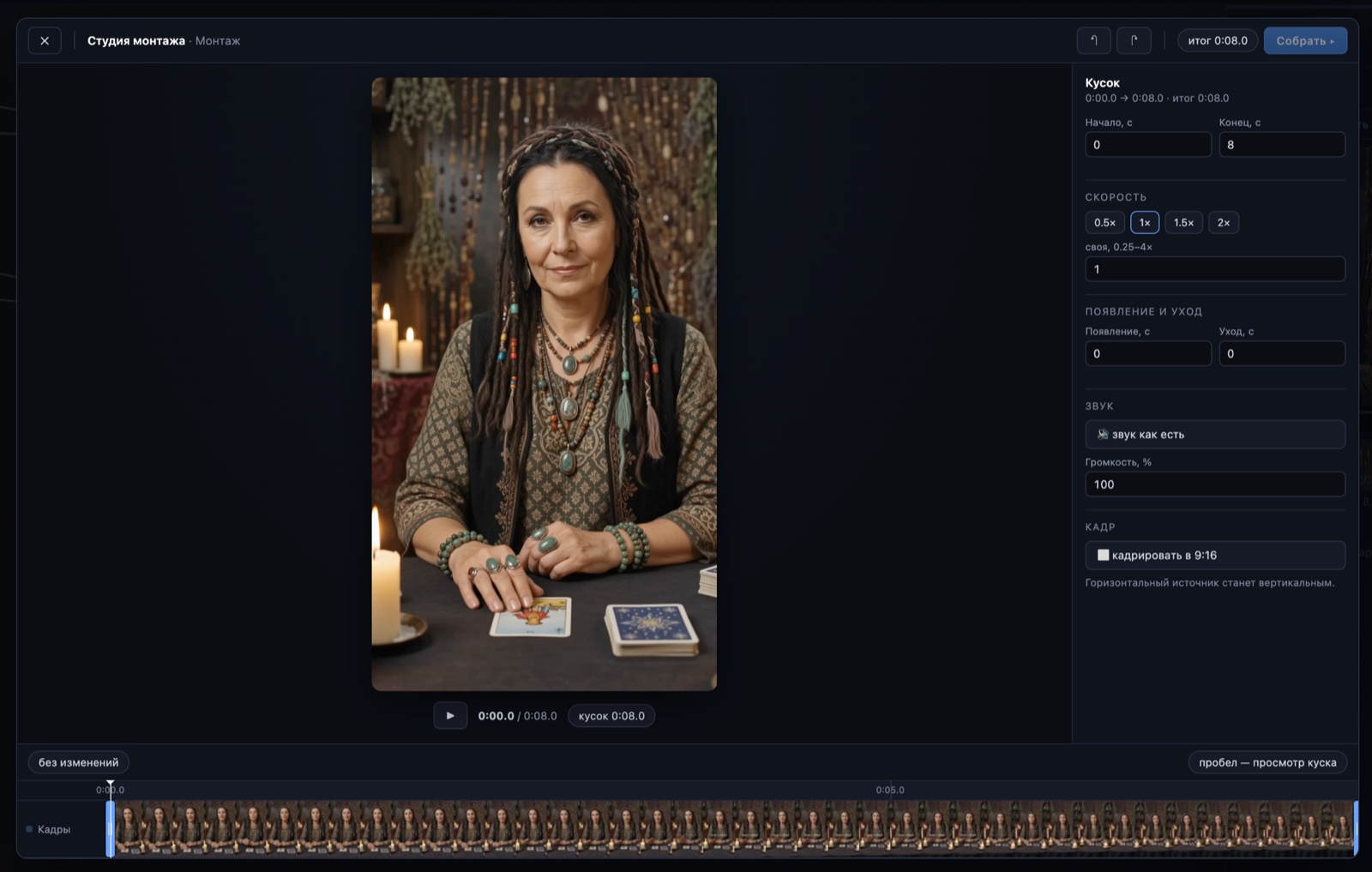
Video fragments share one timeline: each has its own in/out points, 0.25×–4× speed, fades, and framing. Sound fragments are placed by hand in time, while each video’s native audio can be kept, lowered, or muted. And the key thing — crop to 9:16, 1:1 or 16:9: a horizontal source becomes vertical — or the other way round.
Not right? Hit Run again — the whole thing, at the full price of generation. Even just to nudge the banner over by a centimeter.
You move the banner, trim the clip, crop to the format you need — and re-assemble. Render without AI, $0: not a single paid model call.
The timeline is sacred: the ban is addressed to the machine. LLMs and assemblers don’t touch it — a human edits it, explicitly and visibly.— the studios’ principle
How it works — step by step
- The AI proposes. The Director sets the decoration plan and the generator produces the clip — as a starting point, not a verdict.
- You open a studio from the node. Decorate for graphics, Montage for the clip. A real-time preview in the video’s own format.
- You edit by hand. Text, timing, position, font size (Decorate); clip order, sound, trim, speed, fades, and cropping (Montage).
- You re-assemble for $0. The render runs without AI — not a single paid generation; the finished clip returns to the project.
Create videos in Vini Studio
Ideas, characters, scenes, sound and editing in one project. Work independently or discuss content production with our team.
Get started in the studio →Sign in with Telegram or Google. No account needed in advance — it is created for you.