 Vini Studio
A trending format. Your own characters.
Take a recognizable format, swap the performers for funny characters and make your own version. Our Tomato and Sheriff rap clip shows how it works.
Turn a familiar rap clip, dance or meme into your own version: put your series characters, brand mascots or an unexpected duo in the scene. The format stays recognizable, and the character swap becomes the joke.
Two rappers become Tomato and Sheriff
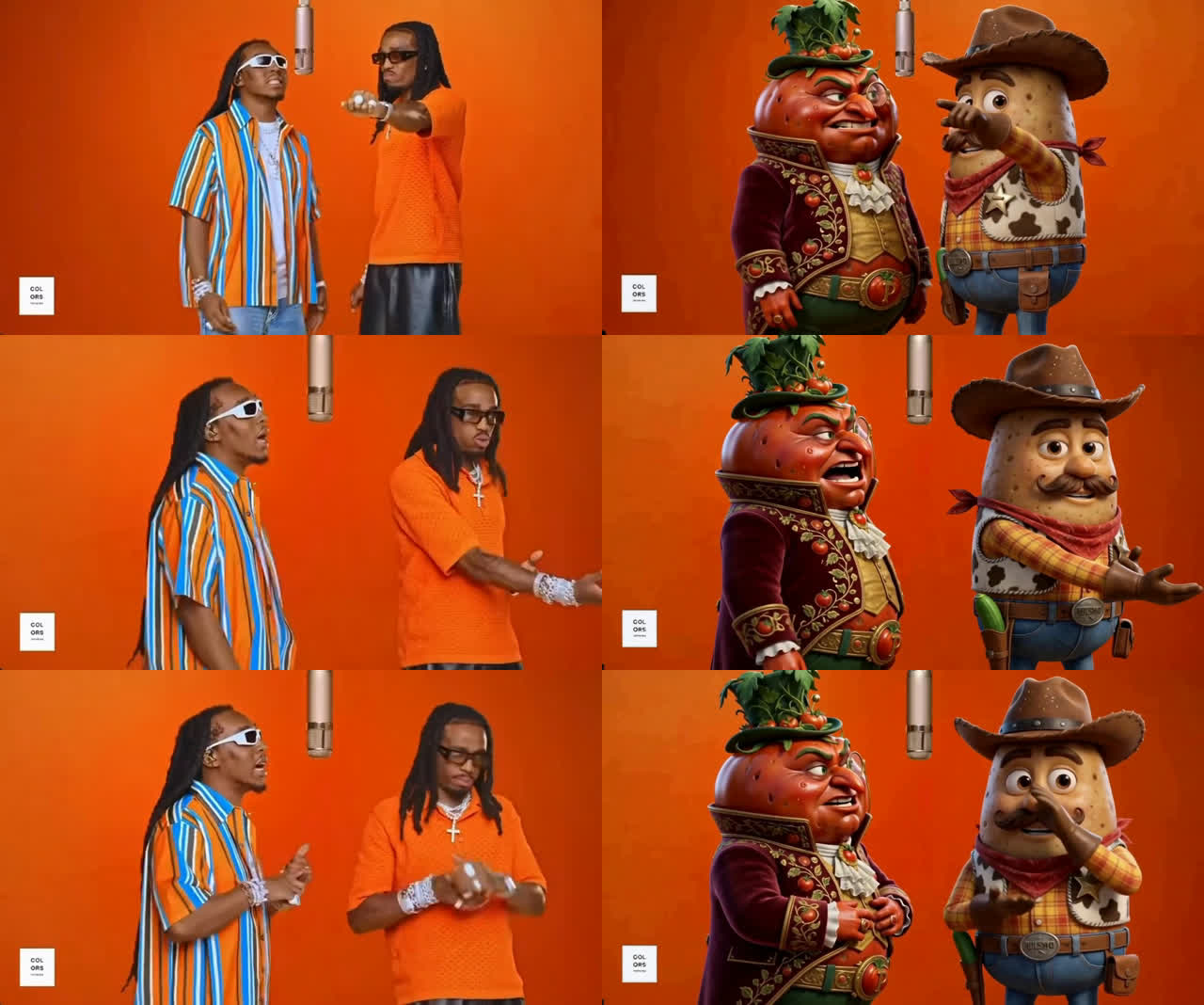
For our version, we replaced the two performers with Señor Tomato and Sheriff Potato. The orange background, hanging microphone, rhythm and original soundtrack keep the connection to the source. Our characters bring their own appearance and personality to the scene.
That is the idea: viewers recognize the scene and notice the unexpected swap. Use it for a parody, a meme, an appearance by your series characters or a version featuring a brand mascot. Start by choosing who belongs in the scene and why that replacement makes the joke work.
Make a version with your own characters
Choose a short scene whose format reads immediately: a signature gesture, a dance or a microphone performance. Prepare your replacement character images and build the swap in the studio. Then add your own caption or editing beat to land the joke.
- In the Video node, choose Recast characters → MiniMax H3.
- Connect a source clip of 5–30 seconds. Each continuous shot within it must be no longer than 15 seconds.
- Add up to four images: one per replacement character, ordered left to right as people appear in the source. Each reference must be at least 256 pixels on both sides.
- Choose 768P or 1080P, review the quote and run. Check faces, scale, hands and cuts; audio comes from the source clip.
Review the details after the swap
In the first MiniMax H3 trial, two rappers also became a tomato and a potato. The orange background, hanging microphone and scene rhythm remained recognizable. The characters became larger, though, and some gestures changed: at one point the potato touches its face instead of pointing. The comparison below shows details worth reviewing in the finished result too.
Choose how to make the swap
| Task | What to prepare | What defines the scene |
|---|---|---|
| Recast characters | A finished clip + one image per replacement character | Source clip: scene, camera, timing and audio |
| Avatar | A character image + a clip with the desired performance | Image: appearance, setting and framing; clip: motion |
| LipSync | A character video + a speech or vocal recording | The existing video; the new recording drives the lips |
Bring your own scene to life with a motion reference
Choose Avatar for this task. It includes Kling, MiniMax H3 and the new DreamActor 2. With DreamActor, the image defines the entire visible scene, while the reference clip drives movement, expressions and lips. It needs no text prompt, accepts source clips up to 30 seconds and carries their audio into the result.
Match the image framing to the reference: a waist-up image for a waist-up performance, a wide image for a wide shot. In our trial, a full-body character image produced a wider frame even though the source performers were shown closer. Getting that scale right matters more than writing a long description.
For a new voice recording, open LipSync
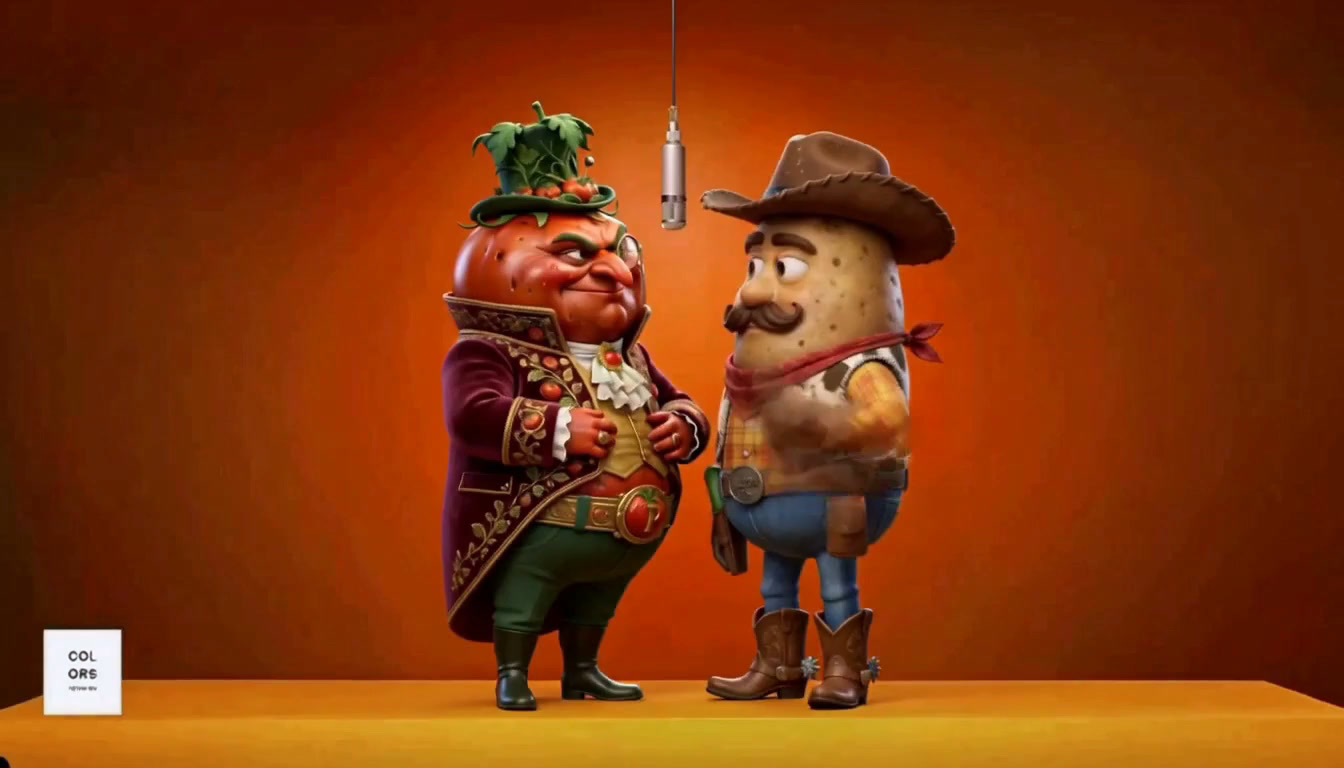
Use the separate LipSync node for new speech or vocals: connect video to one input and audio to the other. Kling LipSync is now available there. In a short trial with a close, front-facing shot, it animated a 3D tomato’s mouth. That is a useful starting format: one character, a clearly visible face and a clean voice track. Long edits, wide shots and several speakers need their own check.
What a run costs
The quote depends on the model, your account plan and source duration; recasting also depends on resolution. Connect the files in the studio and review the estimate before running. Recast characters and DreamActor use the source clip’s length, so the general calculator cannot quote them without an uploaded file.
Every Video role: inputs and examples →
Create videos in Vini Studio
Ideas, characters, scenes, sound and editing in one project. Work independently or discuss content production with our team.
Get started in the studio →Sign in with Telegram or Google. No account needed in advance — it is created for you.