 Vini Studio
Workspaces in Vini Studio turn a flat project list into clear working contexts. Open “Garden City — the series,” “Client: Sunrise,” or “October ads,” and you return to the exact project where you left off.
Your work now has a full address
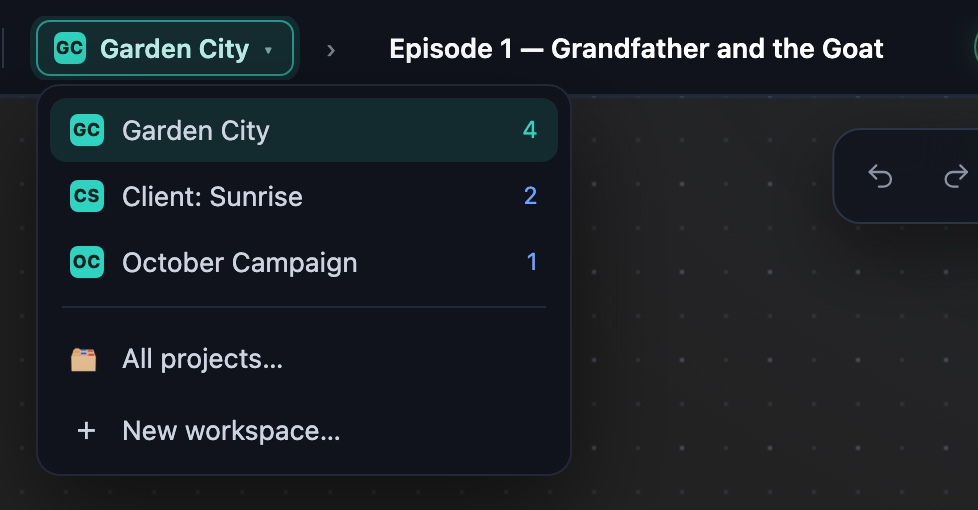
A workspace is a folder for projects, named in the words you already use. It sits next to the project name in the header: context first, current work second. One click opens every workspace with its project count.

The studio remembers the last open project inside each workspace. Switch from a client back to a series and you land in the episode you were working on — not a random file or the top of a list.
Separate the work, not the tools
We could have made every workspace a sealed-off studio with its own projects, characters, and prompts. But then a character created for episode one would be trapped there. The next episode would start with searching, copying, or rebuilding.
So the boundary runs around projects only. The library stays shared: characters, images, video, music, voices, design systems, generators, skills, and prompts remain available from every workspace.

A shared library still needs focus. “This project” brings forward what is already connected here. “All of this workspace” favors what the series or client work has used. “Everything of mine” opens the complete collection. This is relevance, not a permissions filter: nothing disappears or gets locked away.
Workspaces separate the work, but never separate the tools.— the Workspaces principle in Vini Studio
Organization without a separate management system
Workspaces live where projects already live. There is no structure to maintain somewhere else:
- Create a workspace. Use the project manager or the switcher in the header.
- Name it your way. A series, client, channel, or campaign — the studio creates a short two-letter mark automatically.
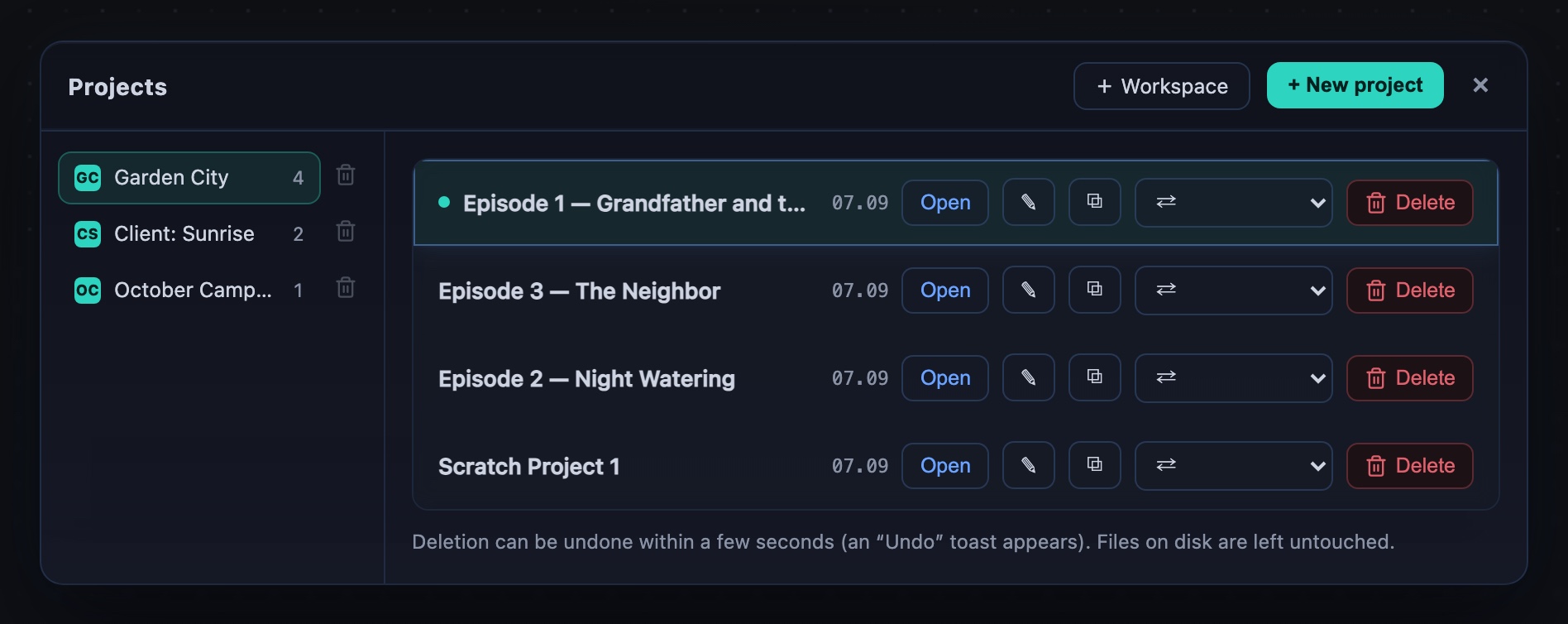
- Move projects. Select them while creating the workspace or move them later from the project row, together with every frame, clip, and sound.
- Switch contexts. The studio opens that workspace’s last project. If it is empty, it offers to create a project right there.
Delete the container, not the work
Deleting a workspace does not delete its projects. They move to another workspace, and the studio tells you where before it happens. The last workspace cannot be deleted. Every project that existed before this update was placed into “My projects” automatically, so nothing had to be reorganized just to keep working.
Personal workspaces today
A workspace currently belongs to one person. This release does not include invitations, team roles, or shared project access. The foundation leaves room to open workspaces to other people later, but today’s release solves one precise problem: keeping a large body of personal work organized without putting walls around your creative tools.
Create videos in Vini Studio
Ideas, characters, scenes, sound and editing in one project. Work independently or discuss content production with our team.
Get started in the studio →Sign in with Telegram or Google. No account needed in advance — it is created for you.