 Vini Studio
A first frame answers “where from,” and a last frame answers “where to.” The model still invents the entire path between them. Key frames add intermediate commitments: what must be visible at 3.3 seconds, what is revealed at 6.7, and what the final tenth second must look like.
The model knows two points but chooses the transformation sequence, pacing, and reveal moment on its own.
Every intermediate state gets a second and travels to the generator as part of one ordered request.
Four images become one route
In this ten-second example, the helicopter must pass through two readable states and arrive at the specified robot. The opening and ending are fixed at 0 and 10 seconds. The studio automatically placed the two intermediate frames at 3.3 and 6.7.
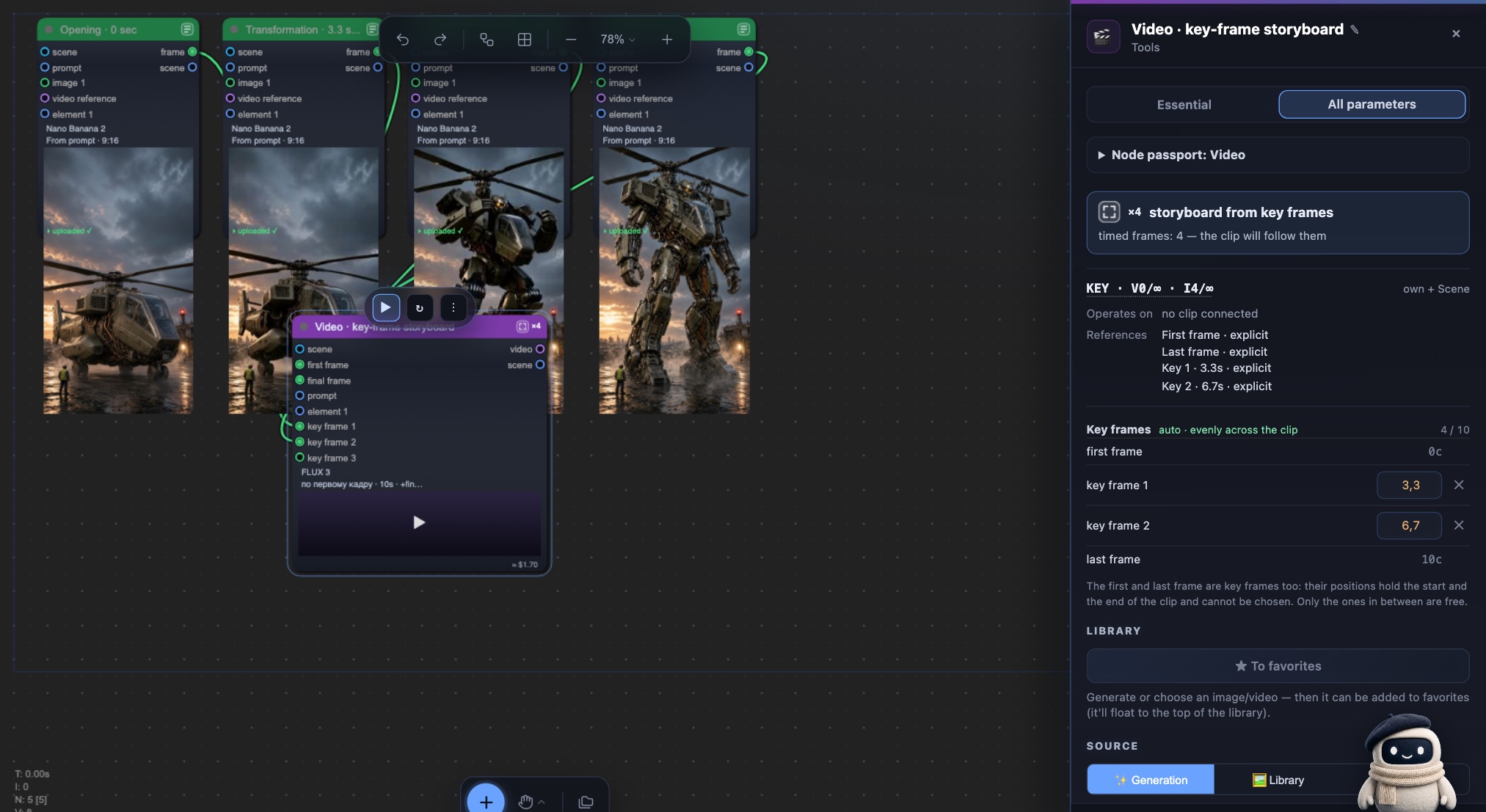
Building the storyboard
- Choose FLUX 3 or FLUX 3 Draft. They are currently the only two registry entries with freely positioned key frames.
- Connect the opening and ending. They automatically occupy 0 seconds and the end of the clip; those two positions do not need editing.
- Add intermediate images. Every new wire creates the next empty “key frame N” input, so the row grows with your scene.
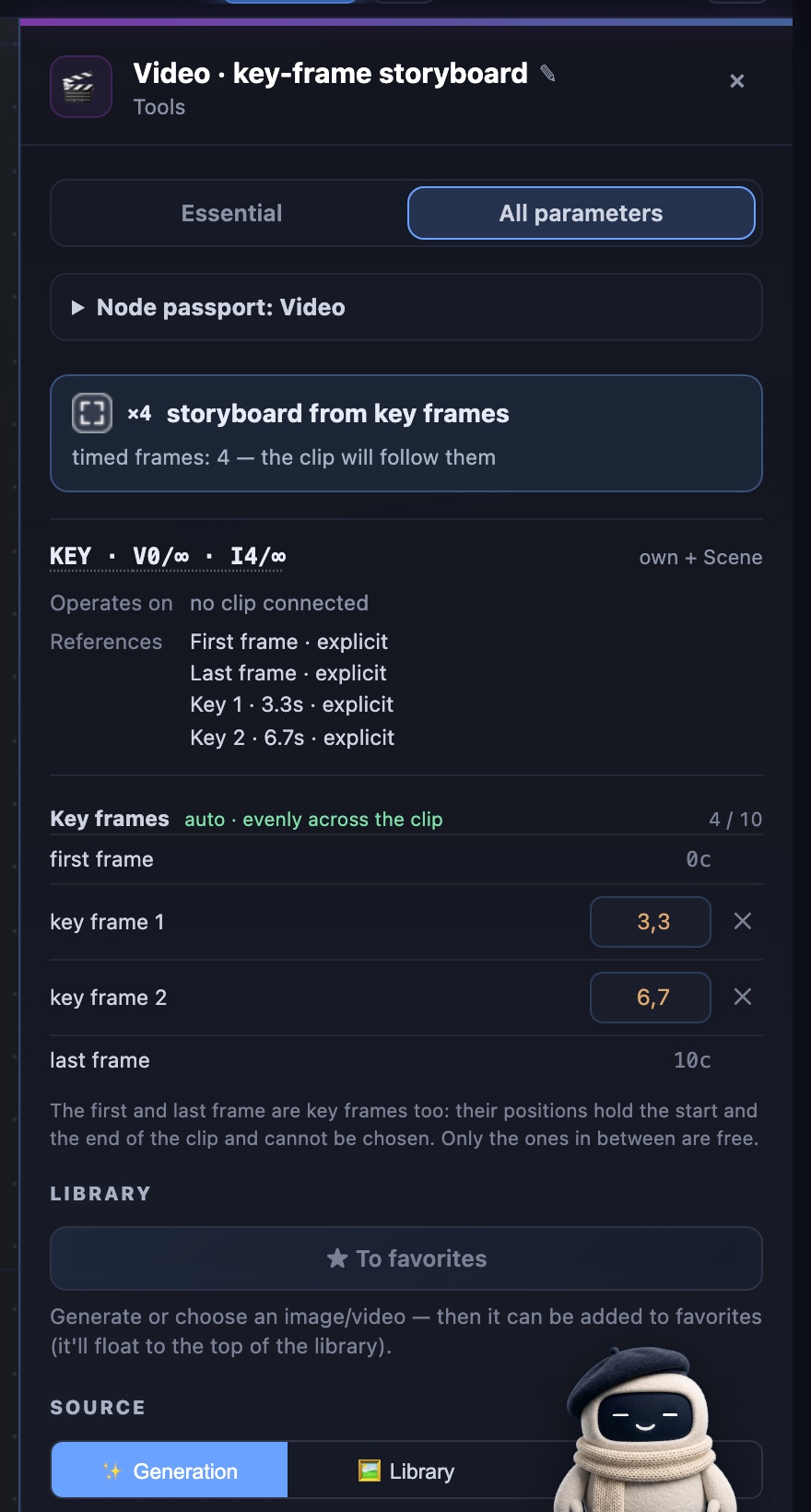
- Keep Auto or enter the seconds. By default, the points divide the clip evenly. Edit any number and the entire row becomes manual, no longer moving when duration changes.
- Review before you run. The panel shows the exact order sent to the model. A missing, duplicate, or impossible position blocks the run instead of disappearing silently.
The panel answers two questions before you spend
At the top, the effective operation says “storyboard from key frames,” shows four outgoing frames, and carries the KEY code. Below it is the timeline itself and the 4/10 counter. Changing duration recalculates automatic points; after a manual edit, one reset returns the row to even spacing.
Where it works today
Freely positioned intermediate key frames currently work on FLUX 3 and FLUX 3 Draft, with up to ten points per request including the endpoints. MiniMax H3 accepts a first and last frame and has a separate reference mode, but it does not accept intermediate images at chosen seconds. That is why H3 does not expose the growing key-frame input row.
A last frame sets the destination. Key frames set the route.
This structure matters most when the middle is the story: a gradual transformation, a product appearing, a costume change, a camera move through several compositions, or a precisely timed reveal. Instead of making the prompt longer, show the model the states — in the order and at the seconds you intended.
Create videos in Vini Studio
Ideas, characters, scenes, sound and editing in one project. Work independently or discuss content production with our team.
Get started in the studio →Sign in with Telegram or Google. No account needed in advance — it is created for you.