 Vini Studio

A good shot is a craft: where the light stands, how the camera moves, when the scene falls silent. Usually that knowledge lives in your head and gets rewritten into every prompt from scratch — and differently for each model. Forget one line and the shot falls apart.
In the studio, that craft is moved into a skills library. A skill is a named unit of expertise: a short instruction you write once and reuse across every project. Not a "magic prompt," but a locked-in technique that gets applied when it’s needed.
Three layers of craft
The techniques are sorted by role, so you don’t assemble a wall of text by hand — you grab the layer you need with a single chip:
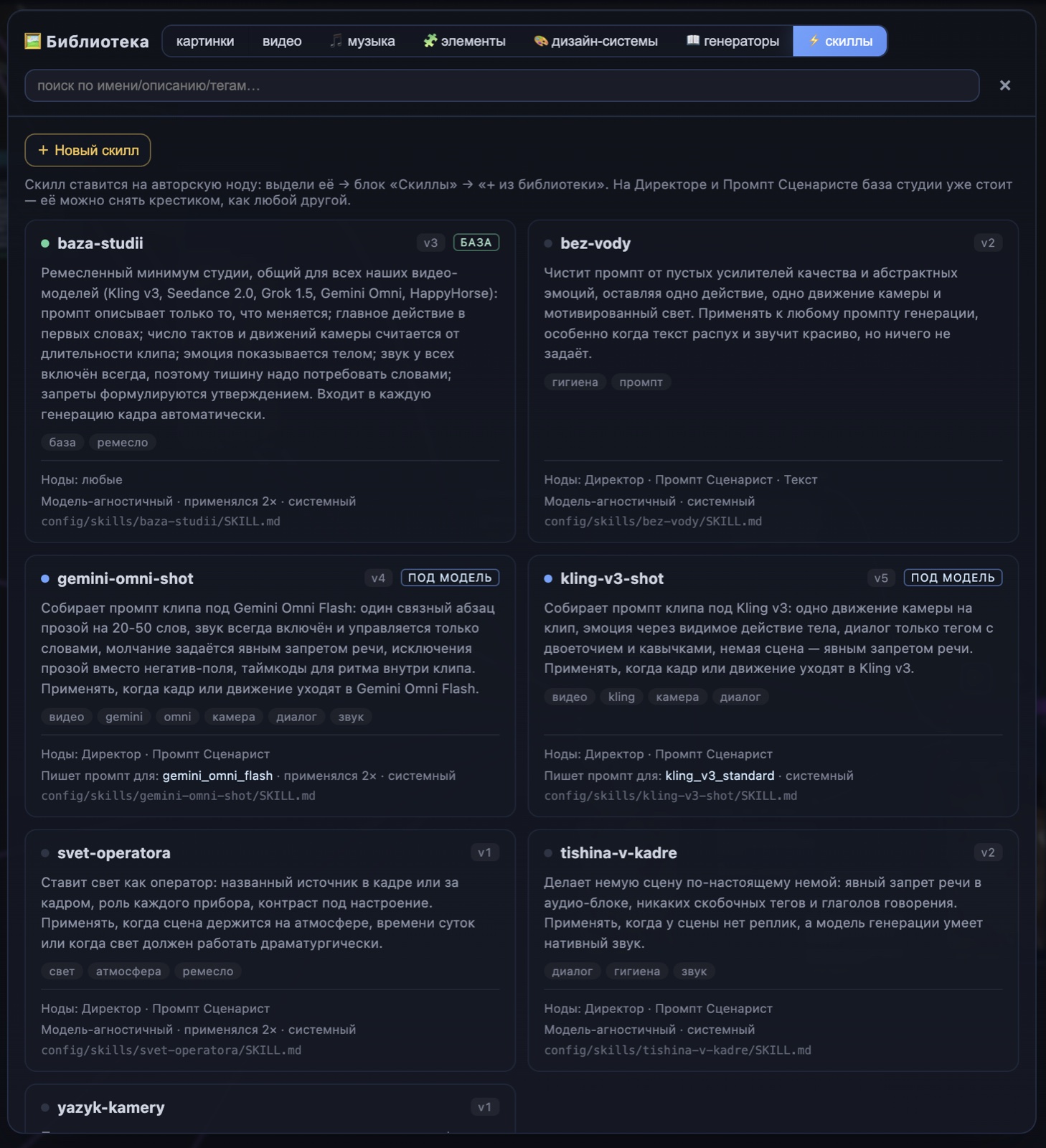
Three layers of skills: the base attaches itself, while "per model" and "craft" you add with the "+ from library" chip. The soft ceiling is around two techniques per node — for focus, not a dumping ground.
- Studio base — the craft minimum for every model (Kling, Seedance, Grok, Gemini Omni): the prompt describes only what changes; the main action goes in the first words; emotion is shown through the body; silence has to be demanded in words. It attaches to the Prompt Scriptwriter on its own.
- Per model — the syntax of a specific model: with Kling v3, dialogue only via a tag with quotes; with Gemini Omni, a single prose paragraph of 20–50 words. You add it when the shot goes to that model.
- Craft — shooting techniques: "cinematographer’s lighting" (a named source, the role of each fixture), "camera language" (one movement per clip), "on-screen silence," "no fluff" (strips the prompt of empty quality boosters).
A technique is a baseline, not a command
A skill doesn’t force the model to work blind. The model receives the technique as a craft baseline, decides whether it fits the specific scene, and applies it — or honestly reports that it didn’t. No silent failures: you place techniques instead of writing a wall of text, and you see what actually landed.
A technique is a baseline, not a command. The model is free to skip one that breaks the scene — and it’ll say so.— the skills principle
Create videos in Vini Studio
Ideas, characters, scenes, sound and editing in one project. Work independently or discuss content production with our team.
Get started in the studio →Sign in with Telegram or Google. No account needed in advance — it is created for you.