 Vini Studio
You ask for «a helicopter turns into a robot». You will get a transformation. Which robot exactly is up to the model — and on the second take it will be a different robot. The gap between «got lucky» and «got what I planned» is one input, and not every model has it.
What we put on the table
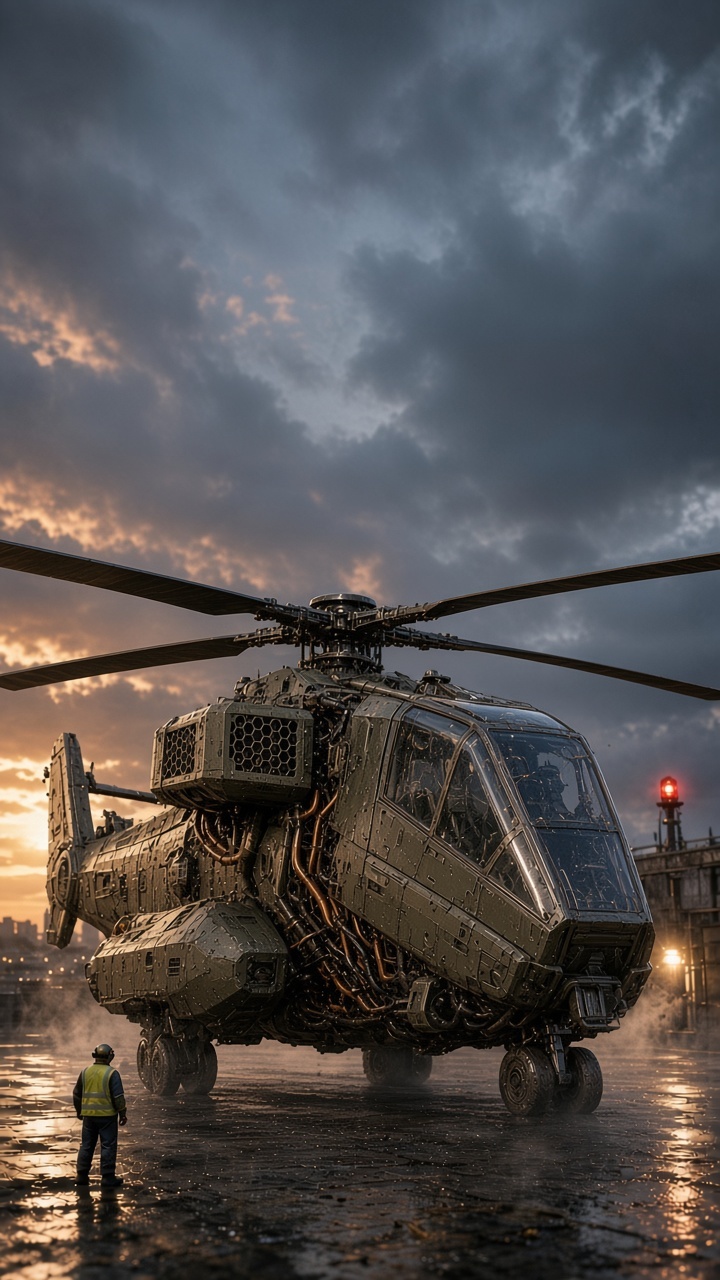
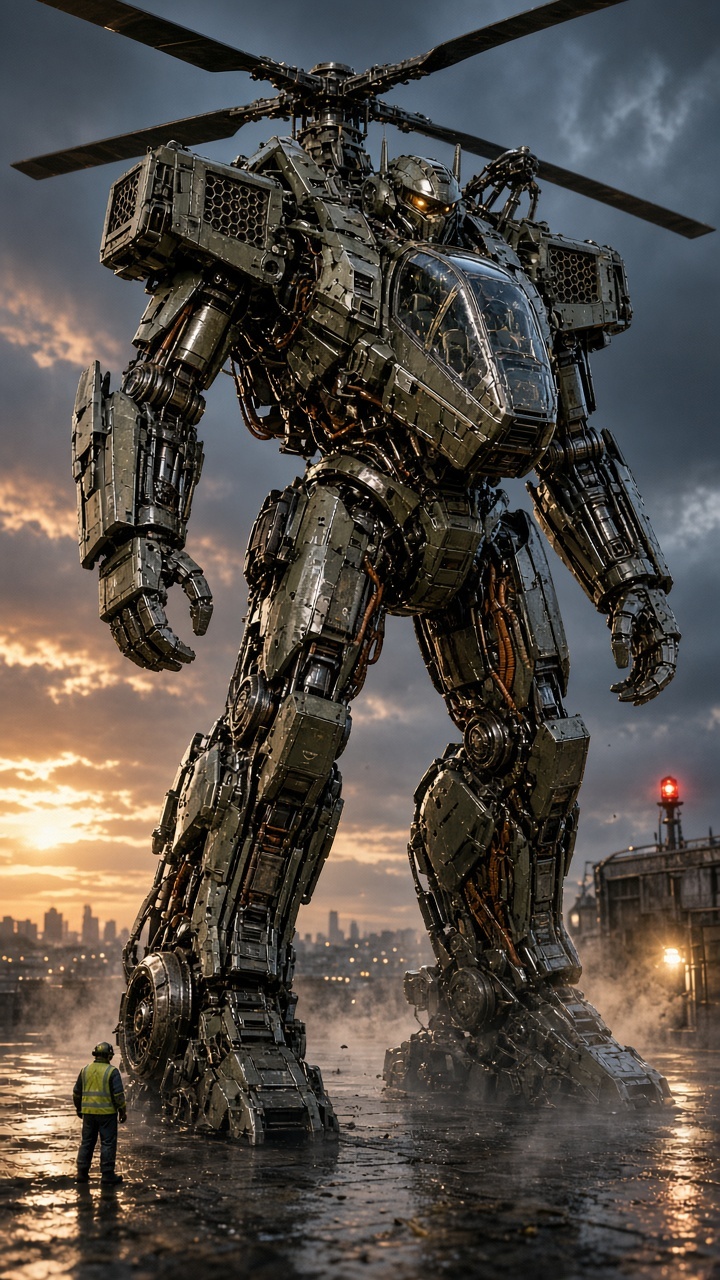
One prompt, two frames, nine models. The opening frame: a helicopter on a wet apron at dusk, a worker in a yellow vest by the landing gear, a red beacon to the right. The closing frame: the robot folded out of that helicopter — rotor still on its back, the glazed cockpit turned into chest armour, an amber visor for eyes. Same apron, same worker, same beacon.
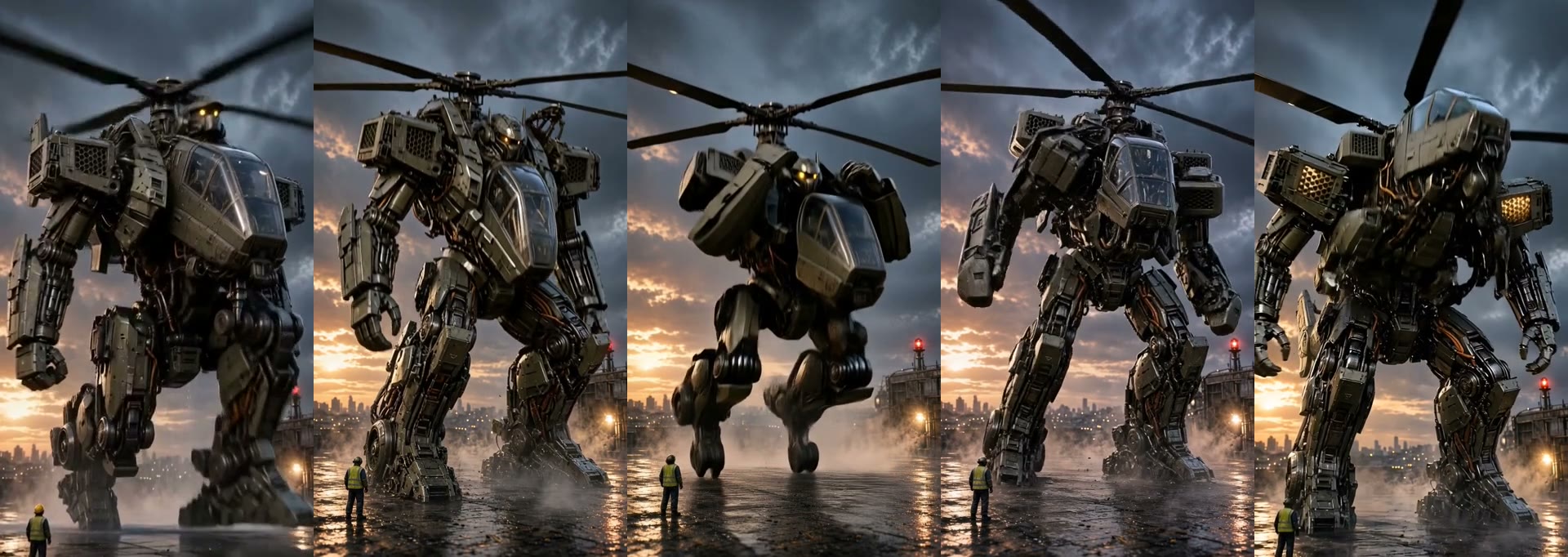
Five models, the very same five seconds
The four columns on the left were given both frames. The right column got only a reference — because that model has no last-frame input at all. Watch the final second: on the left, four different models arrive at one and the same frame; on the right, at a robot of the same family but in a composition of its own.
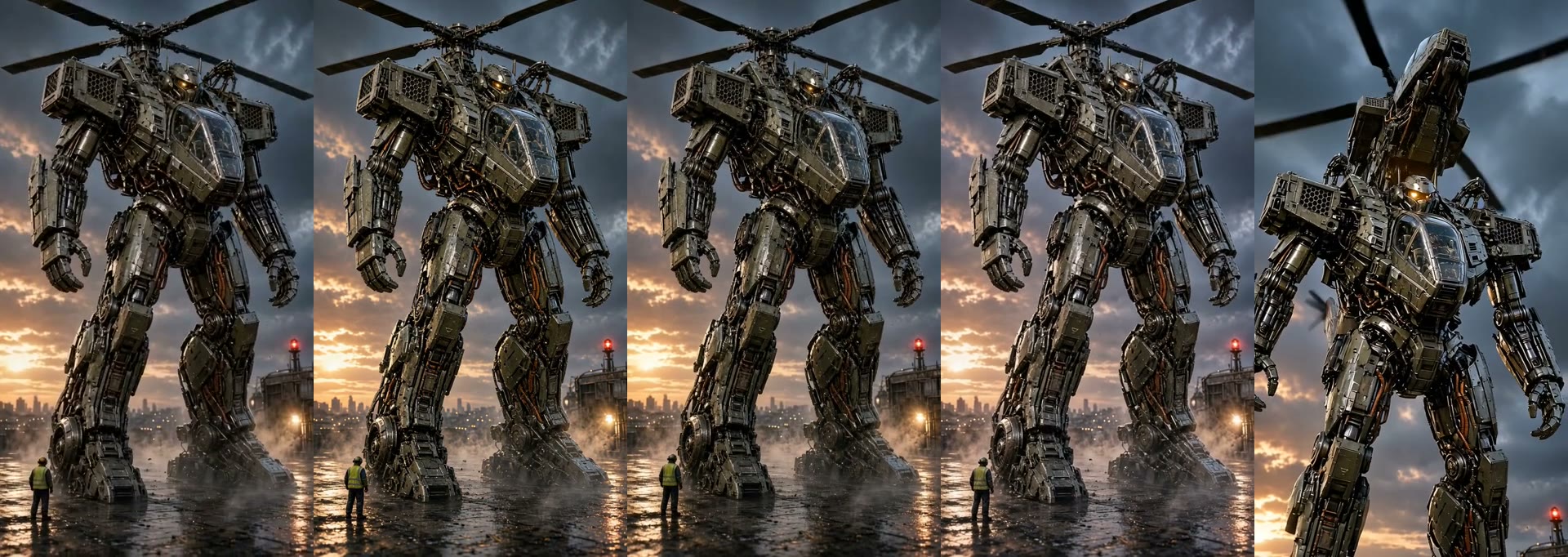

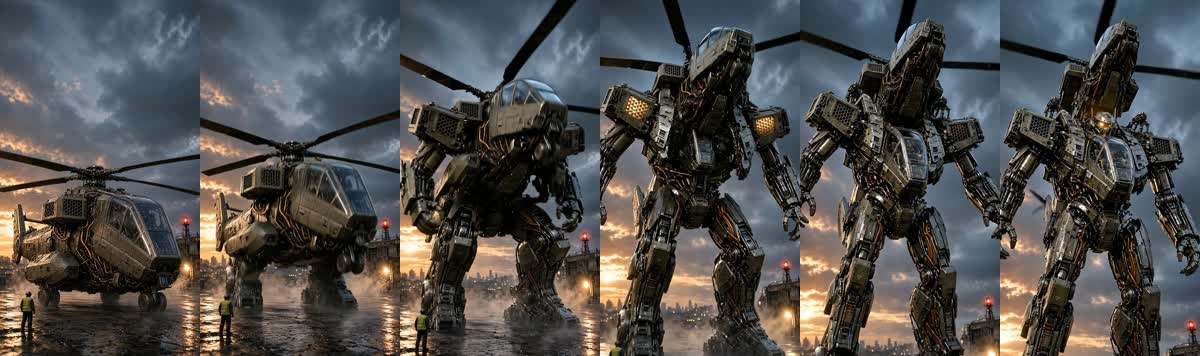
It is not that some models are worse. It is that two models in our registry physically do not accept a last frame — and no prompt will change that.
Which models take a last frame
The Vini registry holds eleven video-model entries. Nine have a frame mode, seven of them accept a last frame. DreamActor 2 and OmniHuman 2 have no frame mode at all: they only bring a hero picture to life — with motion from a clip or with a voice. Two do not: Grok Video 1.5 and HappyHorse 1.1 — their request carries an opening frame only. Gemini Omni Flash was on that list until version 1.1, which added end_image_url and taught the model to interpolate between the first and last frames.
The input matrix. Kling stands apart — both generations: only it carries frames and references to the model in one request, for the others these are mutually exclusive modes.
How to check this instead of taking my word
Open the «Видео» node and switch the model. On Kling, Seedance, MiniMax H3 and Gemini Omni Flash a «финальный кадр» input appears on the node. On Grok and HappyHorse it will not — it is not hidden and not disabled, it simply does not exist, because the model cannot do it. The port is drawn from the registry, not from a setting.
Building the transition, step by step
- Make two frames of one scene. An opening and a closing one: same setting, same light, same angle, same scale. If the scene drifts, so will the transition. We generated both frames in Grok Image 2 from one description, changing only the state of the object in it.
- Describe the object in an «Элемент» node. The description is not a note to self: it travels as an instruction into the frame generator. The more specific the materials and joints, the less the model has to invent.
- Wire both frames into «Видео». The opening one into «первый кадр», the closing one into «финальный кадр». A «+финал» badge appears on the node card — that is your proof the ending really goes to the model instead of getting lost on the way.
- Pick a model that has that input. If there is no «финальный кадр» port, switch the model rather than rewriting the prompt. The list of eight is in the table below.
- Write the prompt about the transition, not the objects. What unfolds, what rises, where the camera goes. The model has already seen both frames — describing them again in words only competes with the pictures.
- Match the duration to the movement. Five seconds: one state becomes another. Eight to ten: a full action reads, with a wind-up and a final pose.
When you need a frame AND references at once
Only Kling can do this — all three of its entries, Kling v3, Kling O3 and Kling v3 Motion: one request carries a frame and Elements together (the first two take an opening frame, a closing frame and up to three Elements; Motion takes a guide frame and one face element). On every other model a frame and references are mutually exclusive modes, and the studio will honestly detach one wire when you connect the other rather than send a request the vendor would quietly mangle.
What it cost
The same transition, nine models, a real run. The clip price is the provider rate times the duration ordered.
| Model | Clip | Rate | Resolution | Last frame |
|---|---|---|---|---|
| Seedance 2.0 · быстрое | $0.28 | $0.057/s × 5s | 496×864 | ✅ |
| MiniMax H3 | $0.19 | $0.038/s × 5s | 484×868 | ✅ |
| Grok Video 1.5 | $0.49 | $0.08/s × 6s | 480×848 | — |
| Kling | $0.63 | $0.126/s × 5s | 720×1280 | ✅ |
| HappyHorse 1.1 | $0.70 | $0.14/s × 5s | 720×1280 | — |
| Gemini Omni Flash | $0.80 | $0.10/s × 8s | 720×1280 | ✅ |
| Seedance 2.5 | $0.83 | $0.104/s × 8s | 480×854 | ✅ |
| FLUX 3 | $0.85 | $0.17/s × 5s | 704×1280 | ✅ |
| Seedance 2.0 · полное | $1.06 | $0.071/s × 15s | 496×864 | ✅ |
All nine in a row
The same experiment in full, as a vertical reel: two opening frames and nine clips with titles and costs.
Create videos in Vini Studio
Ideas, characters, scenes, sound and editing in one project. Work independently or discuss content production with our team.
Get started in the studio →Sign in with Telegram or Google. No account needed in advance — it is created for you.