 Vini Studio
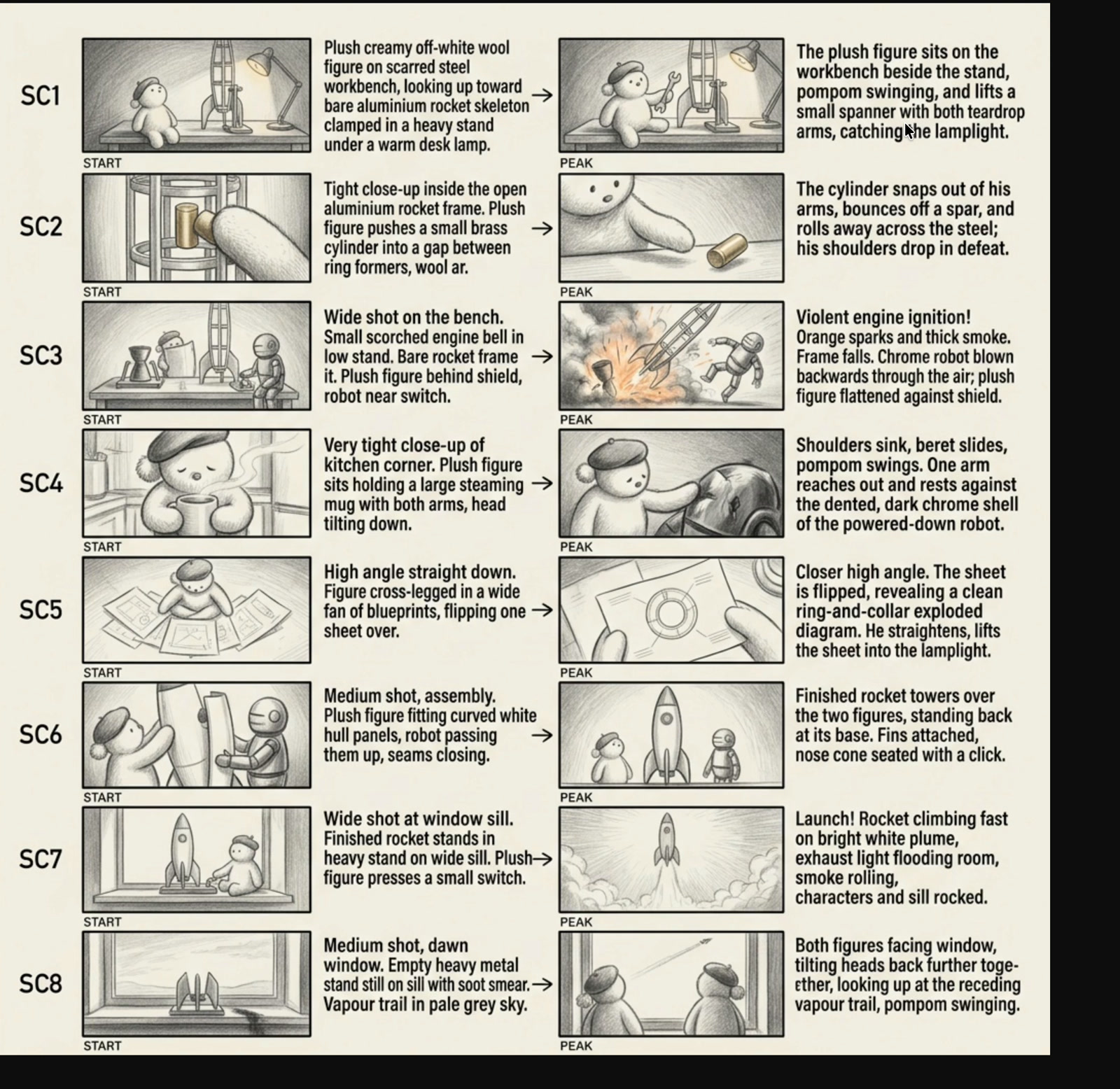
The task sounded simple: two characters build a rocket in a laboratory. The finished story runs 1:12, however, and rests on eight separate scenes. Each one has to be planned, generated, reviewed, and only then admitted into the edit.
Start with cause and effect, not with generated shots
Storyboard Sheet breaks the idea into eight steps: the first attempt, a failure, a pause, the blueprint, a second build, the finished rocket, launch, and the final look through the window. Every scene places START beside PEAK, so the intended movement is visible before video generation begins.
Eight scenes remain eight independent decisions
Elements for the characters and laboratory feed the Scriptwriter and storyboard, then split into independent image and video branches. Those branches meet only at Assembly. A failed take does not force working scenes to be rebuilt, and several models can be compared on the same job.
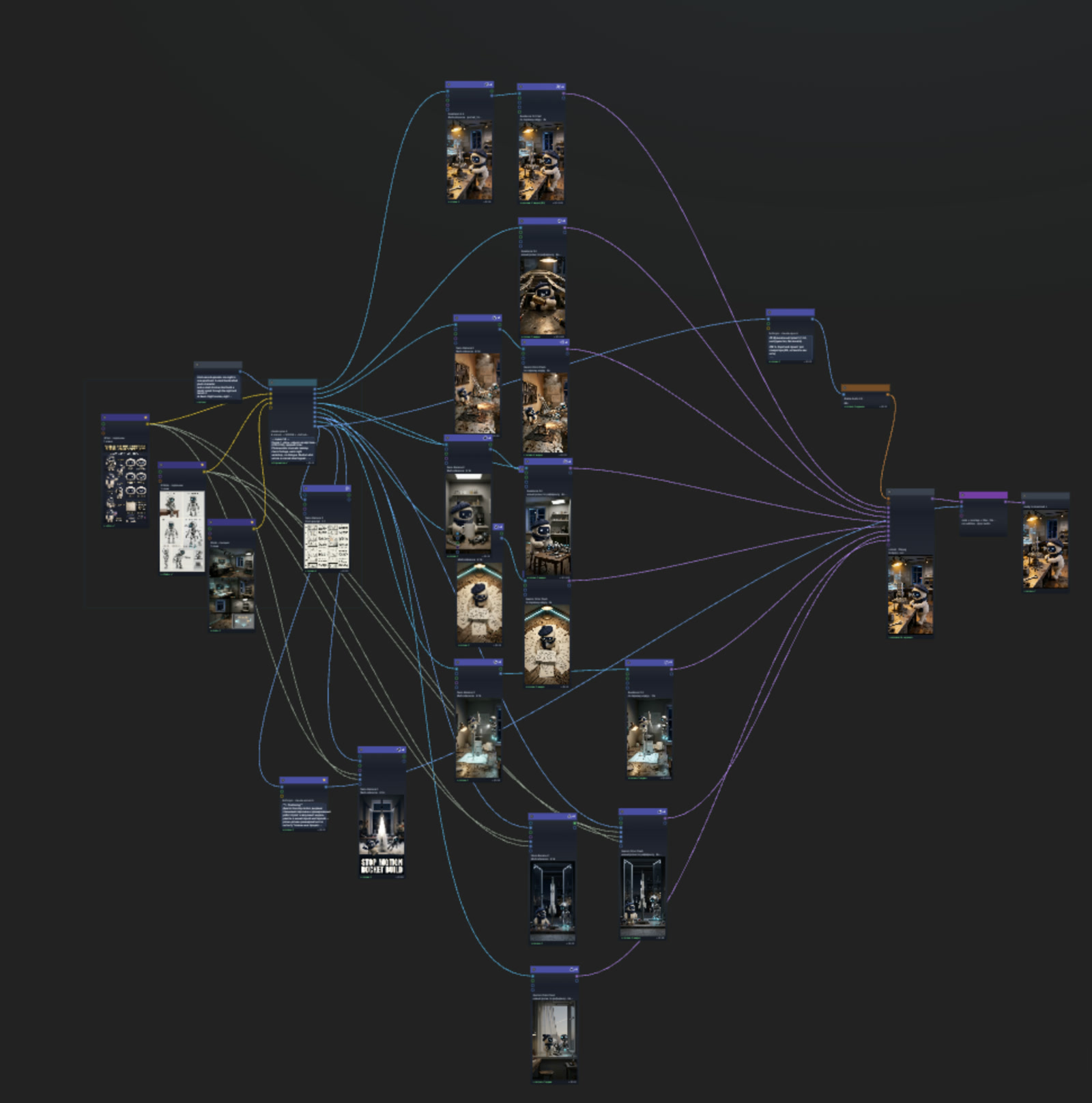
One request produces one video. A problem in scene seven appears at the end, and a nearly good shot must either be accepted or the whole attempt begins again.
Every scene is its own branch. The creator compares takes, changes the model, or reruns only the shot that needs work without destroying accepted material.
The finish is not another generation
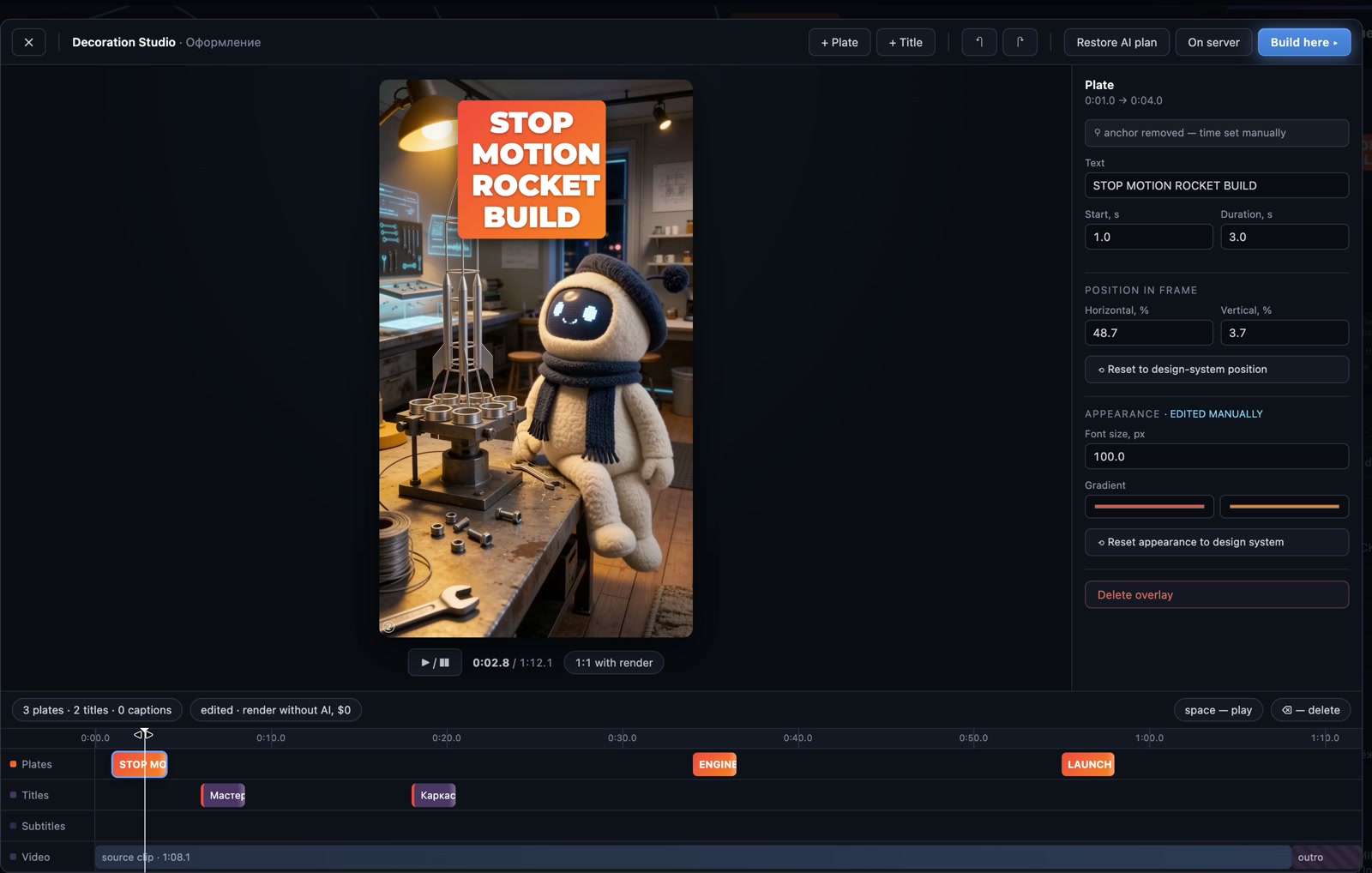
Once the eight scenes are selected, music and Assembly join the graph. The creator then opens Decoration and edits overlay text, timing, position, and appearance by hand. Preview and final output share one composition, so a timeline decision should not change on its way to the render.
The whole path, including the rough edges
Chapter 4 shows the working run across Seedance, Gemini Omni Flash, Kling, and Nano Banana, including usable takes and reshoots. The project estimate shown in the recording is $8.46, or roughly $15 with all retries. Both numbers matter: the ideal path and the real work are not the same thing.
Chapter 4: the real Vini Episode #4 build, from the first idea to the decorated result.
Operations can be automated. The decision about which shot belongs in the story stays with a person.— the principle behind this production case
What to repeat in your own project
- Lock the Elements. Characters, the key object, and the location should enter the story as explicit sources, not as hope that the model remembers them.
- Check the arc in the storyboard. Every scene needs a clear START and result. The weak point is easier to find before video.
- Generate scene by scene. Compare models and takes on a specific shot. Leave accepted branches alone.
- Assemble only selected material. Music and Assembly receive approved clips, not every experiment.
- Finish by hand. Text, timing, and composition are editorial decisions. Check them in the same preview that becomes the render.
Create videos in Vini Studio
Ideas, characters, scenes, sound and editing in one project. Work independently or discuss content production with our team.
Get started in the studio →Sign in with Telegram or Google. No account needed in advance — it is created for you.