

You’re shooting the second episode — and the neural net hands you a different character. A different nose, a different skin tone, a different jacket. The viewer sees not a series but a set of look-alike strangers. In Vini Studio this doesn’t happen: the character is defined once by the Element node and holds its look across every scene.
Why ordinary generators “lose the face”
For them, every run is a blank slate. A prompt like “the same guy in a cap” describes a type, not a specific person, so the model builds a new one every time. For a one-off image that’s fine. For a video of 6–12 scenes it’s a disaster: there’s no way to stitch them into a story.
Every scene is a fresh run from scratch. Face, clothing, and color “wander” from frame to frame. The series falls apart into strangers.
The character is set once and fed into every scene as a reference. One face from frame to frame — and in the next project too.
What it looks like in action
In the second episode of “Sheriff Potato” I show exactly this: the thing that torments everyone making videos with neural nets — how to keep the same characters from frame to frame — plus the system of “universal elements” built into the node editor.
Episode 2 of “Sheriff Potato” — elements and references in action.
What an “Element” is
An Element is your character (or an object, or a location) saved as a standalone entity: a name, a role, a set of angles, and a description. Run the Element once and its image bakes inside: it stays itself after a reload, and even once the original wire is removed — meaning the character won’t break if you rebuild the graph or delete the old node. From there it’s fed into frames as multi-reference — up to 14 references with Nano Banana 2.
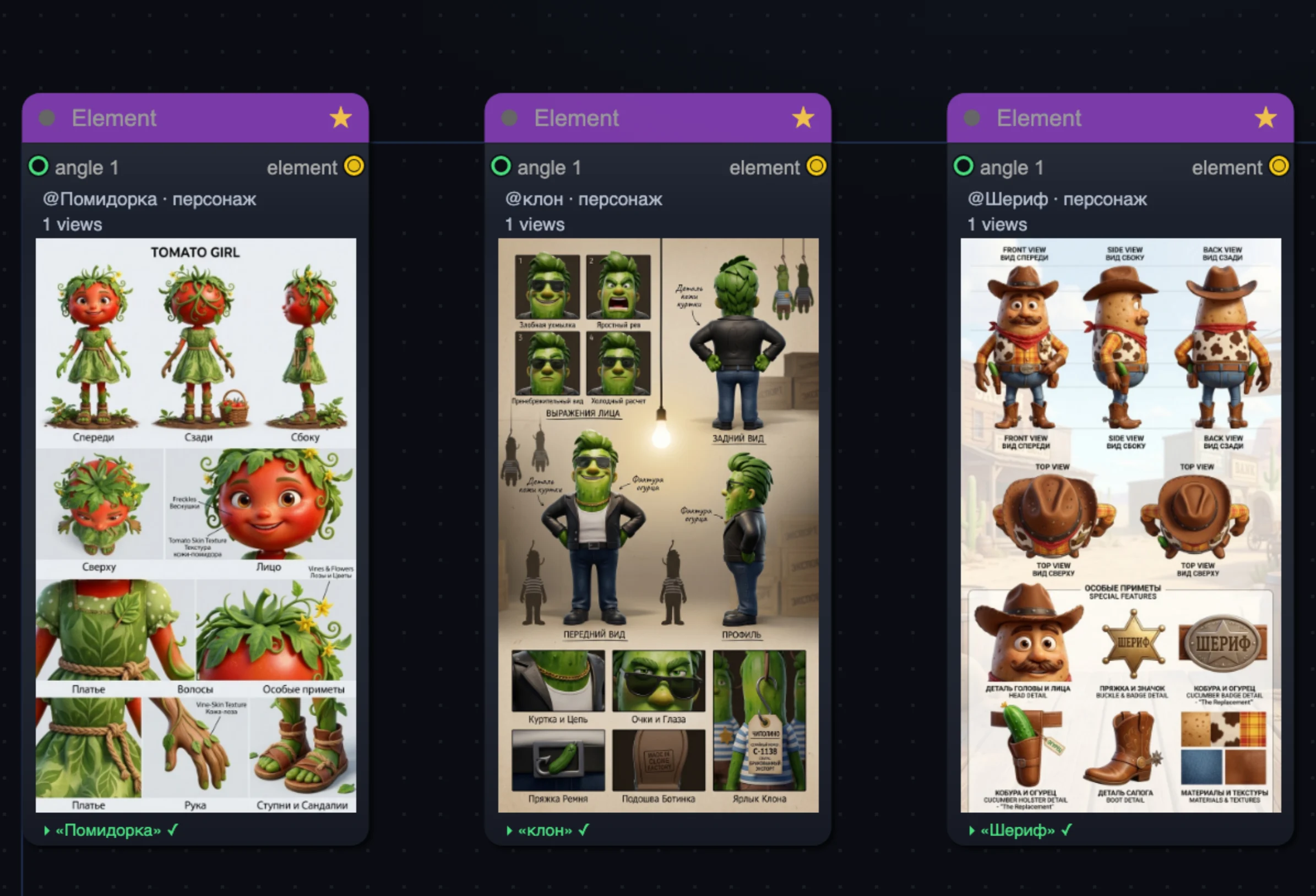
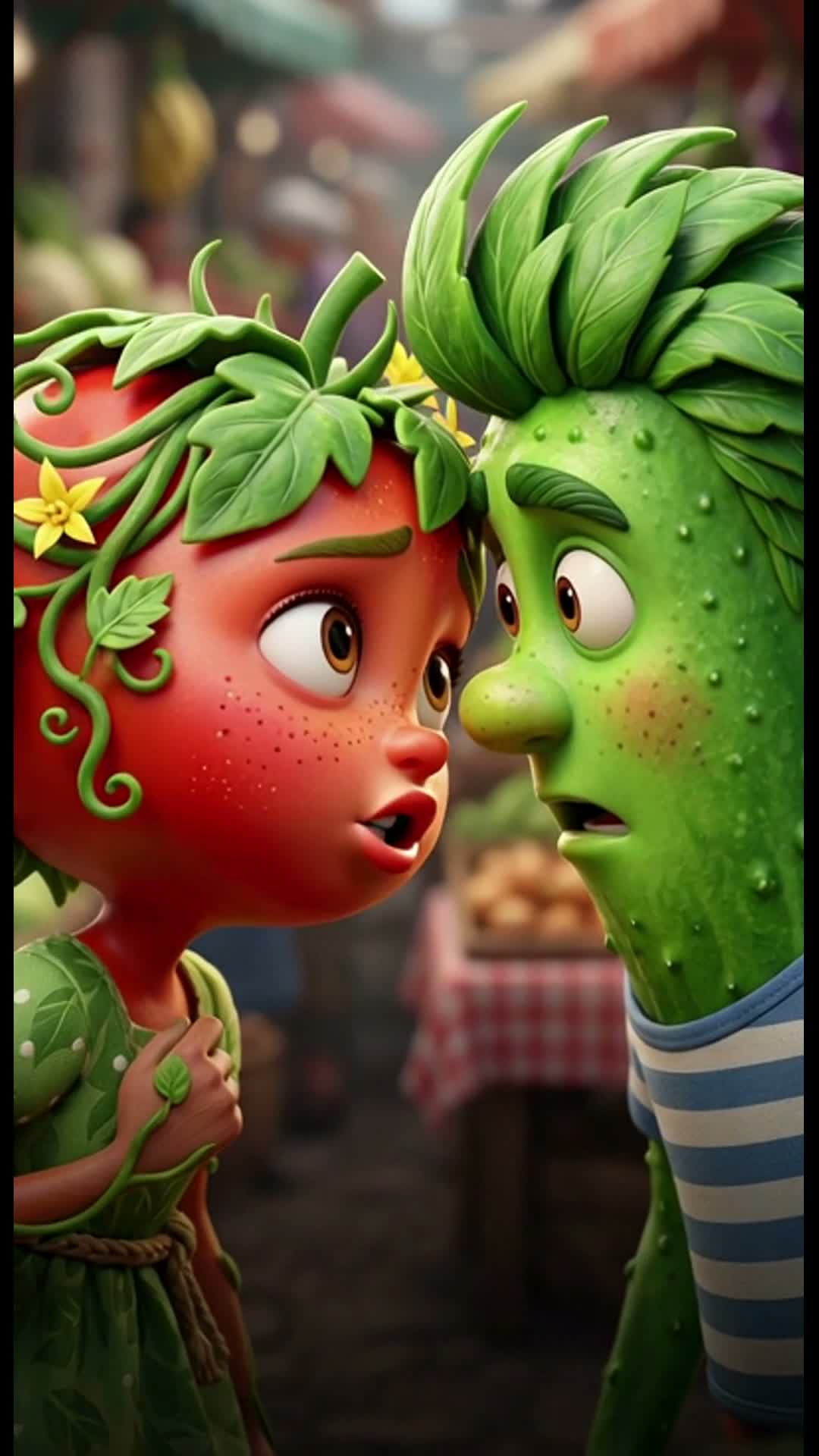
One Element is the source for every scene. The look holds via multi-reference instead of being rebuilt each time.
Why the character doesn’t “drift” even in the script
Holding the face on the picture isn’t enough — the scriptwriter also has to understand who is in the frame. That’s why every Element goes to the scriptwriter not as a flat list but as a structured tag with a name, a type (character / object / location), and a description. I give characters distinctive traits and, through ImageRef tags, tell the model directly “who is who” — so the tomato doesn’t turn into the cucumber between lines, and Grandma Onion stays Grandma Onion.
<element> block with <name>, <type> and <description>. The scriptwriter stops guessing who is who.How it works — step by step
- Define the character once. The Element node: name, role, angles. Run it — and the image bakes inside.
- Save it to the library. The ★ button — and the character is available in any project with its look already done, no rebuilding.
- Feed it into scenes. The Element goes into frames as multi-reference (up to 14 with Nano Banana 2) — the face holds from frame to frame.
- The Scriptwriter knows who’s in the frame. The Element goes across as a structured tag with a type — lines and actions don’t get mixed up between characters.
- Continue the series. The same character — in a new episode in a new project. An episode, not a from-scratch rebuild.
One source — every scene. Today’s character carries into tomorrow’s episode instead of being reborn as a stranger.— from the Vini Studio principles
Need several characters in one scene, or an off-screen narrator — that’s a separate story: up to 3 characters in the frame + a narrator. And to keep a character across projects, there’s the Element library.
Соберите своего героя в Vini Studio
Облачный нодовый конструктор AI-видео: из идеи текстом — в готовый вертикальный ролик 9:16. Проект в закрытой бете — ищу авторов и партнёров.
✈️ Вступить в Telegram →Апдейты, ранний доступ и связь — в канале.